Basic認証+LDAP2013/05/11 |
|
ある特定のページに対してアクセス制限をかけ、認証にはLDAPを使うようにします。
LAN内にLDAPサーバーが存在していることが前提です。
|
|
| [1] | 以下の例ではルートディレクトリ直下の test ディレクトリ配下を認証対象とします。アクセスはSSL経由を要求するようにします。 |
|
root@www:~# a2enmod ldap authnz_ldap # モジュールを有効にする
Enabling module ldap.
Considering dependency ldap for authnz_ldap: Module ldap already enabled Enabling module authnz_ldap. To activate the new configuration, you need to run: service apache2 restart
root@www:~#
vi /etc/apache2/conf.d/auth_ldap.conf # 新規作成
<IfModule authnz_ldap_module>
    <Directory /var/www/test>
        SSLRequireSSL
        AuthName "Authentication"
        AuthType Basic
        AuthBasicProvider ldap
        AuthLDAPURL ldap://master.srv.world/dc=srv,dc=world?uid?sub?(objectClass=*)
        Require ldap-filter objectClass=posixAccount
    </Directory>
</IfModule>
root@www:~#
/etc/init.d/apache2 restart Restarting web server: apache2 ... waiting .
root@www:~#
vi /var/www/test/index.html # テストページ作成
<html>
<body> <div style="width: 100%; font-size: 40px; font-weight: bold; text-align: center;"> Test Page for LDAP Auth </div> </body> </html> |
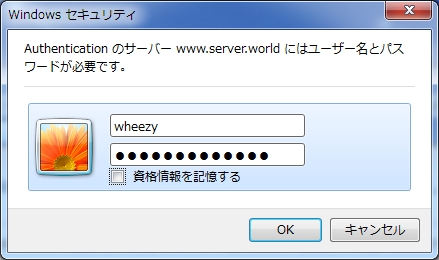
| Webブラウザからテストページにアクセスしてみます。 すると設定通り認証を求められますので、LDAPに登録してあるユーザーで認証します。 |
|
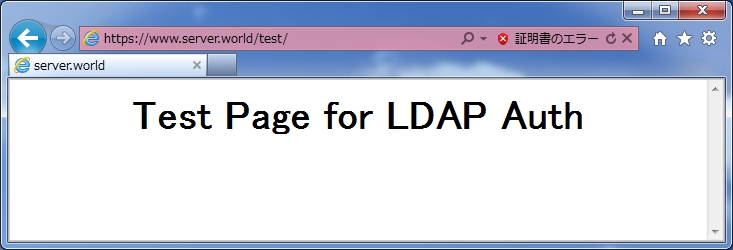
| アクセスできました。 |
|
関連コンテンツ