Pound : SSL の設定2015/06/09 |
|
Pound サーバーの SSL 設定です。
クライント - Pound サーバー間の通信が SSL 対応になります。( Pound - バックエンド間は通常通信 ) 前項で例示した以下のような環境をベースに設定します。
        |
--------+--------------------------------------------------------------------
        |
        +-------------------+--------------------+--------------------+
        |10.0.0.30          |10.0.0.51           |10.0.0.52           |10.0.0.53
 +------+-----+     +-------+------+     +-------+------+     +-------+------+
 |  Frontend  |     |   Backend#1  |     |   Backend#2  |     |   Backend#3  |
 |   Pound    |     |  Web Server  |     |  Web Server  |     |  Web Server  |
 +------------+     +--------------+     +--------------+     +--------------+
|
| [1] | SSL 証明書を作成しておきます。 |
|
[root@dlp ~]# cd /etc/pki/tls/certs
[root@dlp certs]#
[root@dlp certs]# openssl req -x509 -nodes -newkey rsa:2048 -keyout /etc/pki/tls/certs/pound.pem -out /etc/pki/tls/certs/pound.pem Generating a 2048 bit RSA private key ......++++++ .......++++++ writing new private key to '/etc/pki/tls/certs/pound.pem' ----- You are about to be asked to enter information that will be incorporated into your certificate request. What you are about to enter is what is called a Distinguished Name or a DN. There are quite a few fields but you can leave some blank For some fields there will be a default value, If you enter '.', the field will be left blank. ----- Country Name (2 letter code) [AU]: JP # 国 State or Province Name (full name) [Some-State]: Hiroshima # 地域(県) Locality Name (eg, city) []: Hiroshima # 都市 Organization Name (eg, company) [Internet Widgits Pty Ltd]: GTS # 組織名 Organizational Unit Name (eg, section) []: Server World # 組織の部門名 Common Name (eg, YOUR name) []: dlp.srv.world # サーバーのFQDN Email Address []: xxx@srv.world # 管理者アドレス
chmod 600 pound.pem
|
| [2] | Pound の SSL 対応設定です。 |
|
[root@dlp ~]#
vi /etc/pound.cfg # ListenHTTP セクションの下へ追記
ListenHTTP
    Address 0.0.0.0
    Port 80
End
ListenHTTPS
    Address 0.0.0.0
    Port 443
    Cert "/etc/pki/tls/certs/pound.pem"
End
systemctl restart pound |
| [3] | 任意のクライアントから Pound サーバーへ HTTPS アクセスして動作を確認してください。 |
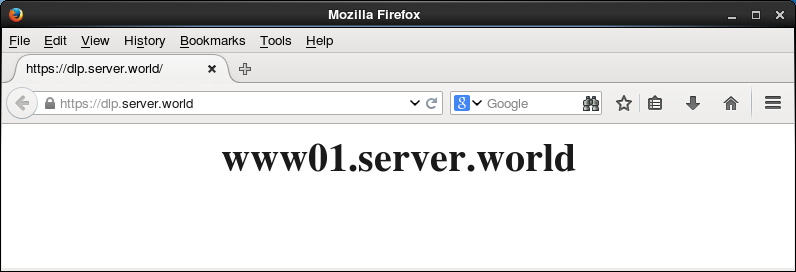
|
関連コンテンツ