Basic認証を利用する2015/05/18 |
|
Basic認証を利用して、ある特定のページに対してユーザー認証が必要なようにアクセス制限をかけます。
|
|
| [1] | Basic認証の設定です。 |
|
root@www:~#
root@www:~# aptitude -y install apache2-utils mkdir /var/www/html/auth-basic
root@www:~#
vi /etc/apache2/sites-available/auth-basic.conf # /var/www/html/auth-basic 配下を認証必須とする
<Directory /var/www/html/auth-basic>
    AuthType Basic
    AuthName "Basic Authentication"
    AuthUserFile /etc/apache2/.htpasswd
    require valid-user
</Directory>
# ユーザーを登録する (-c でファイル新規作成 => -c は初回のみ付与) root@www:~# htpasswd -c /etc/apache2/.htpasswd debian New password: # パスワード設定 Re-type new password: # 再入力 Adding password for user debian a2ensite auth-basic Enabling site auth-basic. To activate the new configuration, you need to run: service apache2 reload
root@www:~#
systemctl restart apache2
# テストページ作成
root@www:~#
vi /var/www/html/auth-basic/index.html <html> <body> <div style="width: 100%; font-size: 40px; font-weight: bold; text-align: center;"> Test Page for Basic Auth </div> </body> </html> |
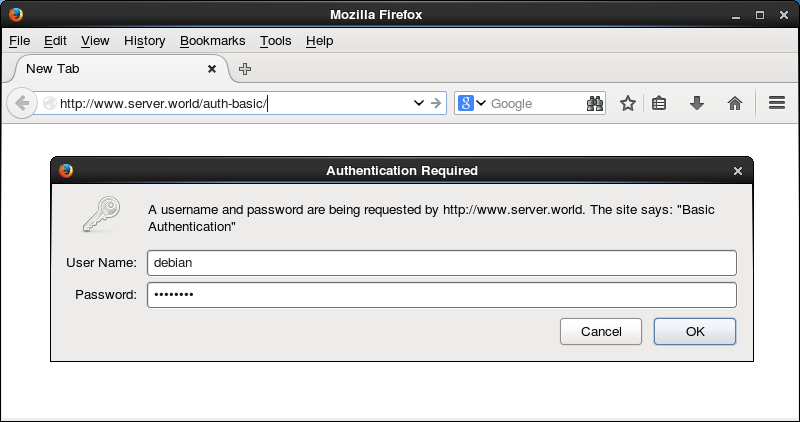
| Webブラウザからテストページにアクセスしてみます。 すると設定通り認証を求められますので、登録したユーザーで認証します。 |
|
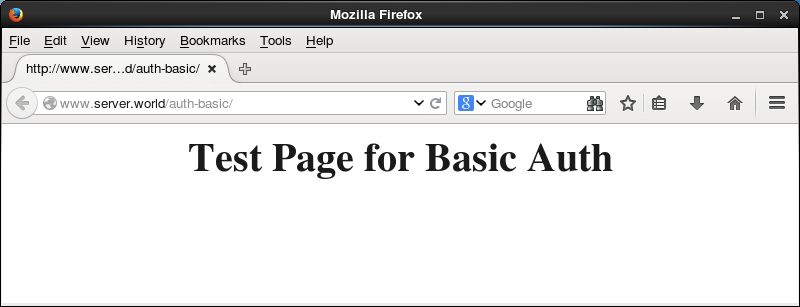
| アクセスできました。 |
|
関連コンテンツ