OKD 4 : クラスターにログインする2022/08/02 |
|
任意のクライアントコンピューターから、クラスターに追加した任意のユーザーでログインします。
当例では以下のような環境を例に OKD 4 クラスターを構成しています。
--------------+----------------+-----------------+--------------
              |10.0.0.25       |                 |10.0.0.24
+-------------+-------------+  |  +--------------+-------------+
|   [mgr.okd4.srv.world]    |  |  | [bootstrap.okd4.srv.world] |
|        Manager Node       |  |  |       Bootstrap Node       |
|           DNS             |  |  |                            |
|          Nginx            |  |  |                            |
+---------------------------+  |  +----------------------------+
                               |
--------------+----------------+-----------------+--------------
              |10.0.0.40       |                 |10.0.0.41
+-------------+-------------+  |  +--------------+-------------+
| [master-0.okd4.srv.world] |  |  |  [master-1.okd4.srv.world] |
|      Control Plane#1      |  |  |      Control Plane#2       |
|                           |  |  |                            |
|                           |  |  |                            |
+---------------------------+  |  +----------------------------+
                               |
--------------+----------------+
              |10.0.0.42
+-------------+-------------+
| [master-2.okd4.srv.world] |
|      Control Plane#3      |
|                           |
|                           |
+---------------------------+
|
| [1] |
Identity プロバイダー追加直後の初回ログイン時は、API トークンの指定が必要です。
よって、Manager ノードに Web アクセス可能な任意のクライアントコンピューターで Web ブラウザーを起動し、以下の URL にアクセスして API トークンを取得しておきます。
⇒ https://oauth-openshift.apps.(クラスター名).(ベースドメイン名)/oauth/token/request
当例の場合 ⇒ https://oauth-openshift.apps.okd4.srv.world/oauth/token/request
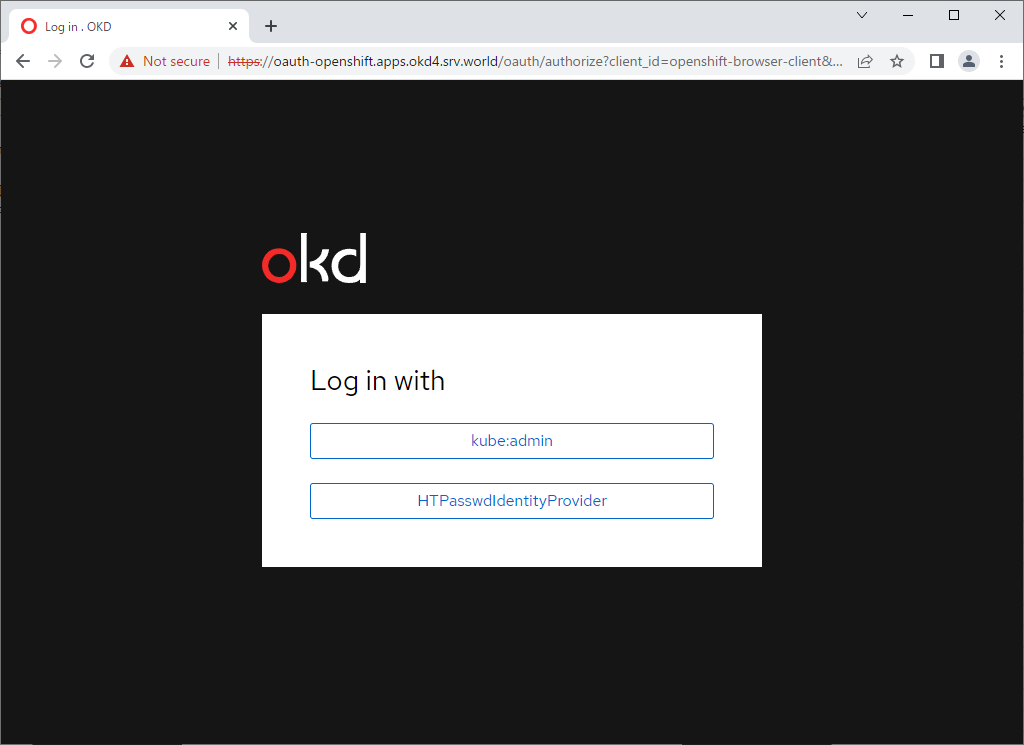
※ Web 経由ではなく API で確認する場合は以下$ curl -v --insecure --user serverworld:userpassword --header "X-CSRF-Token: xxx" --url "https://oauth-openshift.apps.okd4.srv.world/oauth/authorize?response_type=token&client_id=openshift-challenging-client" 2>&1 | grep Location | cut -d'#' -f2 | cut -d'&' -f1以下の画面が表示されたら、追加した Identity プロバイダー名をクリックします。 (当例では [HTPasswdIdentityProvider]) |
|
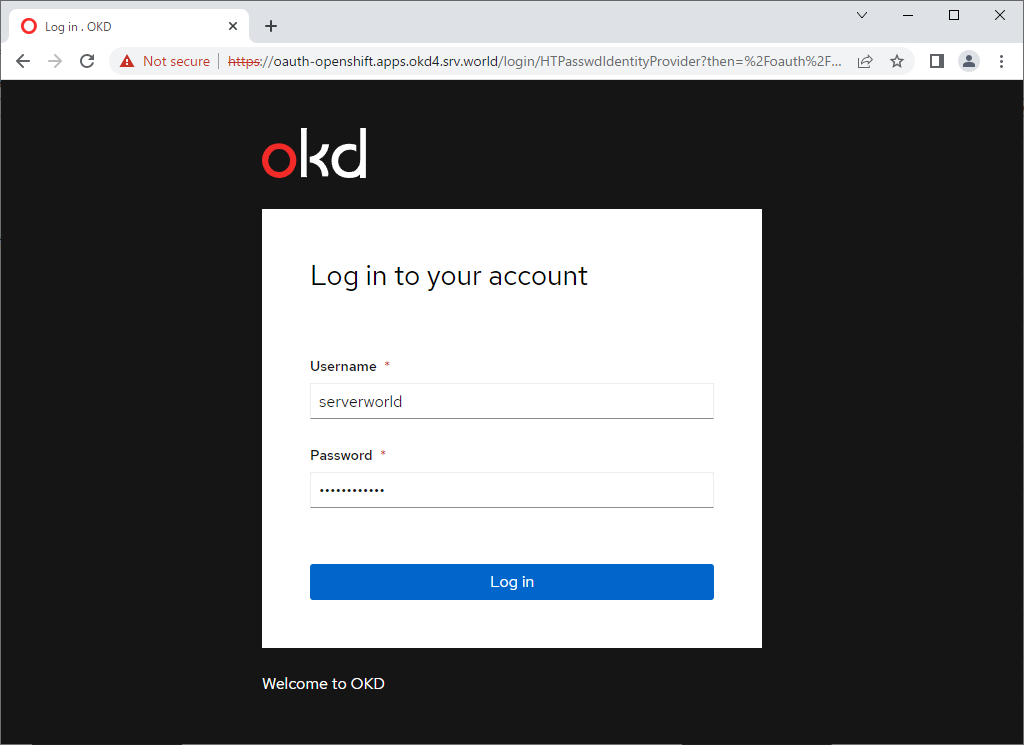
| [2] | Identity プロバイダーに登録したユーザーでログインします。 |
|
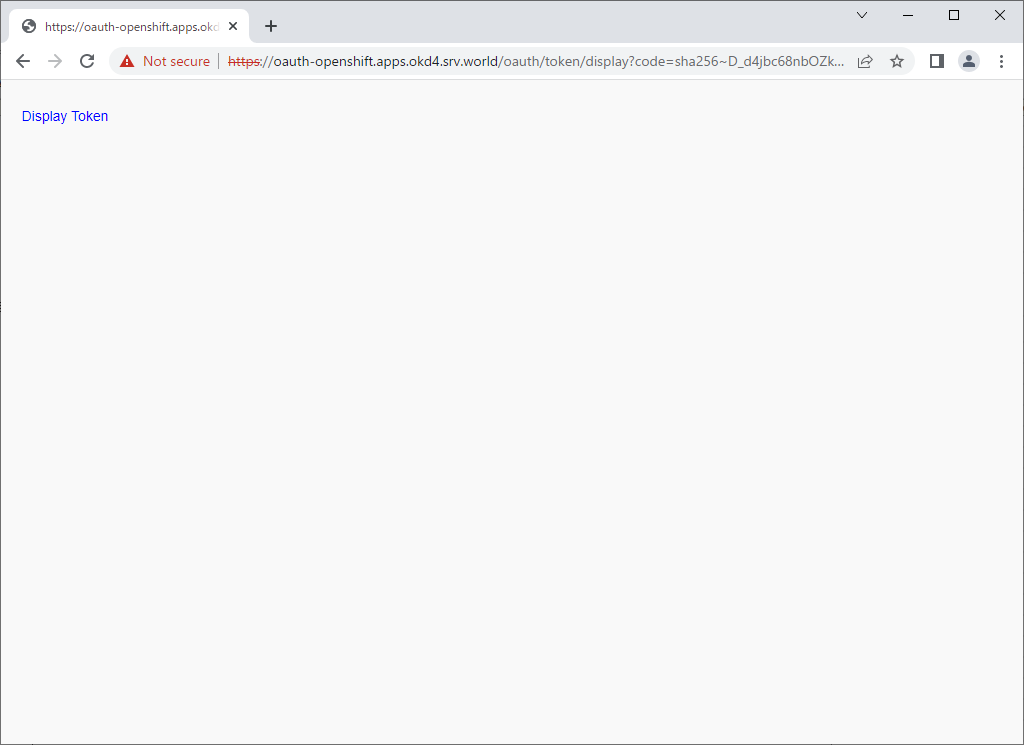
| [3] | [Display Token] をクリックします。 |
|
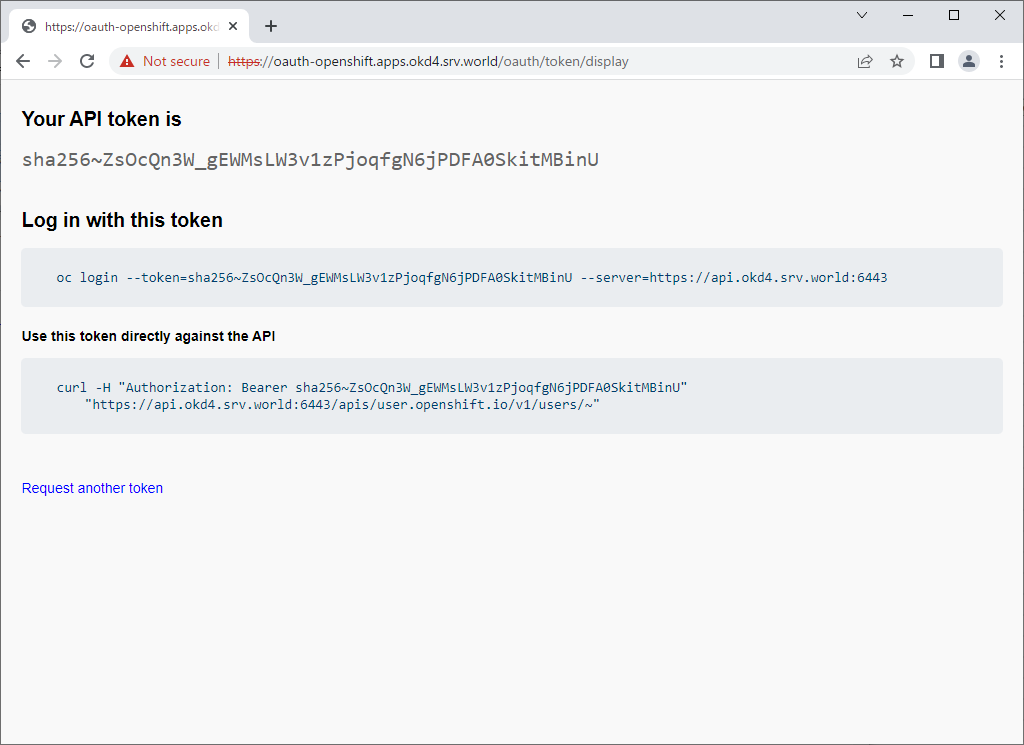
| [4] | 表示の内容を控えておきます。 |
|
| [5] | 任意のクライアントコンピューターから初回ログインを実行しておきます。 クライアントコンピューターは、Manager ノードにアクセスできるコンピューターであれば、OpenShift クライアントのインストールと DNS の設定のみで OK です。 |
|
# DNS の参照先を Manager ノードに設定 # * ネットワークデバイス名は自身の環境に置き換え [root@client ~]# nmcli connection modify enp1s0 ipv4.dns 10.0.0.25 [root@client ~]# nmcli connection modify enp1s0 ipv4.dns-search okd4.srv.world [root@client ~]# nmcli connection up enp1s0 # OpenShift クライアントダウンロード # 最新版はこちらで確認 ⇒ https://github.com/openshift/okd/releases/ [root@client ~]# wget https://github.com/openshift/okd/releases/download/4.11.0-0.okd-2022-07-29-154152/openshift-client-linux-4.11.0-0.okd-2022-07-29-154152.tar.gz
[root@client ~]#
tar zxvf openshift-client-linux-4.11.0-0.okd-2022-07-29-154152.tar.gz [root@client ~]# mv oc kubectl /usr/local/bin/ [root@client ~]# chmod 755 /usr/local/bin/{oc,kubectl} [root@client ~]# oc version Client Version: 4.11.0-0.okd-2022-07-29-154152 Kustomize Version: v4.5.4 # トークンを指定してクラスターにログイン [root@client ~]# oc login --token=sha256~ZsOcQn3W_gEWMsLW3v1zPjoqfgN6jPDFA0SkitMBinU --server=https://api.okd4.srv.world:6443
The server uses a certificate signed by an unknown authority.
You can bypass the certificate check, but any data you send to the server could be intercepted by others.
Use insecure connections? (y/n): y

Logged into "https://api.okd4.srv.world:6443" as "serverworld" using the token provided.

You don't have any projects. You can try to create a new project, by running

    oc new-project <projectname>

Welcome! See 'oc help' to get started.
[root@client ~]#
[root@client ~]# oc whoami serverworld oc logout Logged "serverworld" out on "https://api.okd4.srv.world:6443" |
関連コンテンツ