OKD 4 : Identity プロバイダーを設定 : Keystone2022/08/08 |
|
Identity プロバイダーに Openstack Keystone を設定します。
Identity プロバイダーは複数設定可能です。
当例では、HTPasswd Identity プロバイダー設定済みに加えて、Keystone プロバイダーを設定します。
OKD 4 クラスターは以下の通り構成しています。
Openstack Keystone は こちらの例の通り構築したサーバーを利用します。
--------------+----------------+-----------------+--------------
              |10.0.0.25       |                 |10.0.0.24
+-------------+-------------+  |  +--------------+-------------+
|   [mgr.okd4.srv.world]    |  |  | [bootstrap.okd4.srv.world] |
|        Manager Node       |  |  |       Bootstrap Node       |
|           DNS             |  |  |                            |
|          Nginx            |  |  |                            |
+---------------------------+  |  +----------------------------+
                               |
--------------+----------------+-----------------+--------------
              |10.0.0.40       |                 |10.0.0.41
+-------------+-------------+  |  +--------------+-------------+
| [master-0.okd4.srv.world] |  |  |  [master-1.okd4.srv.world] |
|      Control Plane#1      |  |  |      Control Plane#2       |
|                           |  |  |                            |
|                           |  |  |                            |
+---------------------------+  |  +----------------------------+
                               |
--------------+----------------+-----------------+--------------
              |10.0.0.42                         |10.0.0.30
+-------------+-------------+     +--------------+-------------+
| [master-2.okd4.srv.world] |     |       [dlp.srv.world]      |
|      Control Plane#3      |     |      Openstack Keystone    |
|                           |     |                            |
|                           |     |                            |
+---------------------------+     +----------------------------+
|
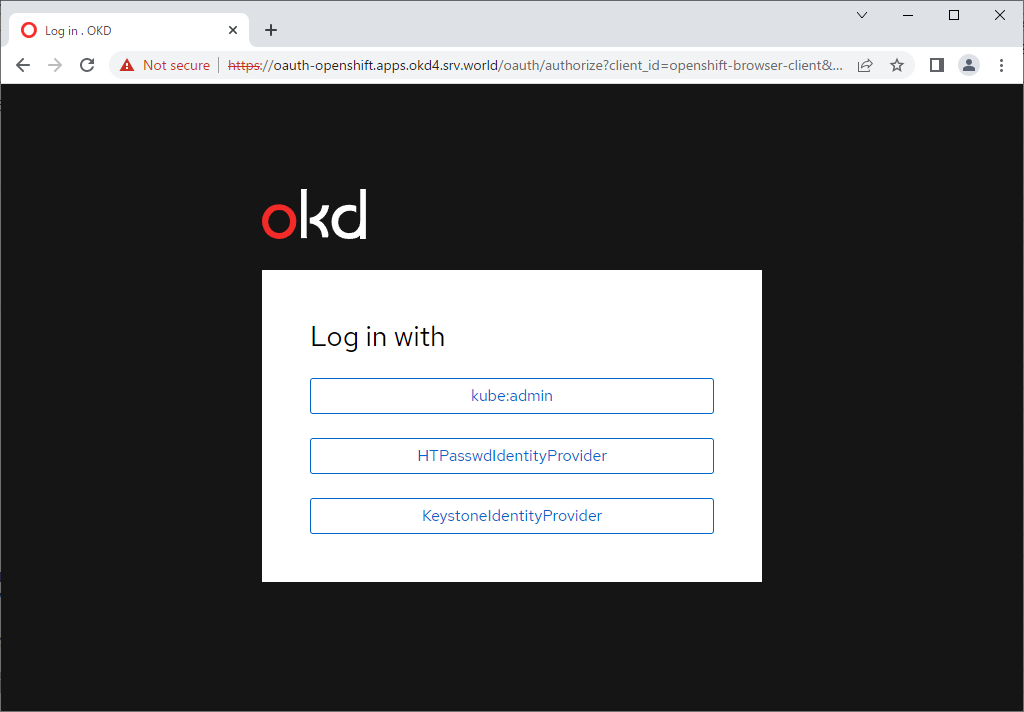
| [1] | Manager ノードで Identity プロバイダー設定を追加します。 |
|
[root@mgr ~]#
oc edit oauth cluster
apiVersion: config.openshift.io/v1
kind: OAuth
metadata:
  annotations:
    include.release.openshift.io/ibm-cloud-managed: "true"
    include.release.openshift.io/self-managed-high-availability: "true"
    include.release.openshift.io/single-node-developer: "true"
    kubectl.kubernetes.io/last-applied-configuration: |
      {"apiVersion":"config.openshift.io/v1","kind":"OAuth","metadata":{"annotations":{},"name":"cluster"},"spec":{"identityProviders":[{"htpasswd":{"fileData":{"name":"htpass-secret"}},"mappingMethod":"claim","name":"HTPasswdIdentityProvider","type":"HTPasswd"}]}}
    release.openshift.io/create-only: "true"
  creationTimestamp: "2022-08-02T05:37:54Z"
  generation: 2
  name: cluster
  ownerReferences:
  - apiVersion: config.openshift.io/v1
    kind: ClusterVersion
    name: version
    uid: d4c7b280-4d13-477d-b271-53f3c0187af6
    resourceVersion: "41842"
  uid: 047a4c8a-f942-47b1-bc36-38202ffb9ffa
spec:
  identityProviders:
  - htpasswd:
      fileData:
        name: htpass-secret
    mappingMethod: claim
    name: HTPasswdIdentityProvider
    type: HTPasswd
  - keystone:
      domainName: default
      url: https://dlp.srv.world:5000
    mappingMethod: claim
    name: KeystoneIdentityProvider
    type: Keystone

# Keystone 用の設定を追記
# [url] : Keystone のエンドポイント URL を指定
# [domainName] : Openstack のドメイン名を指定 : シングルドメイン環境の場合は [default]
# [name] : 任意の名称
|
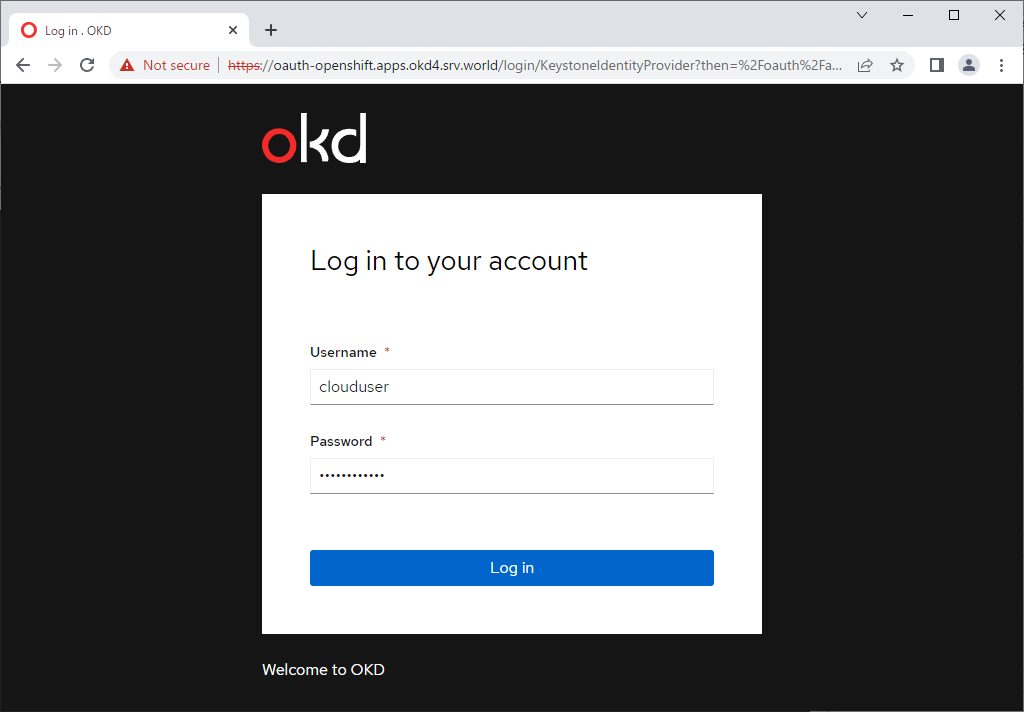
| こちらを参考に、必要に応じて API トークンを取得しておきます。任意の Keystone ユーザーでログインできれば OK です。 |
|
|
| [2] | 任意のクライアントコンピューターから 任意の Keystone ユーザーでクラスターにログインして確認しておきます。 |
|
[centos@client ~]$ oc login --token=sha256~GhUoP_TPygrhiW8nAH3hc2NVvTHoCJzlxfdKOHzR-OY --server=https://api.okd4.srv.world:6443
The server uses a certificate signed by an unknown authority.
You can bypass the certificate check, but any data you send to the server could be intercepted by others.
Use insecure connections? (y/n): y

Logged into "https://api.okd4.srv.world:6443" as "clouduser" using the token provided.

You don't have any projects. You can try to create a new project, by running

    oc new-project <projectname>

Welcome! See 'oc help' to get started.
[centos@client ~]$ oc whoami clouduser |
関連コンテンツ