OpenSCAP : インストール2026/04/23 |
|
SCAP (Security Content Automation Protocol) 標準に基づいたシステムのセキュリティ監査や脆弱性スキャンが可能な OpenSCAP のインストールです。
SCAP の概要は以下を参照ください。
OVAL  (Open Vulnerability and Assessment Language)
       ⇒ 脆弱性を評価するための標準化された仕様

XCCDF (Extensible Configuration Checklist Description Format)
       ⇒ XML フォーマットのセキュリティ設定チェックリスト

OCIL  (Open Checklist Interactive Language)
       ⇒ ユーザーとの質疑応答を解釈するフレームワーク

CPE   (Common Platform Enumeration)
       ⇒ ハードやソフト等を識別するための命名基準

CCE   (Common Configuration Enumeration)
       ⇒ 各セキュリティ項目にユニーク ID を割り当てる仕様

CVE   (Common Vulnerabilities and Exposures)
       ⇒ 個別製品の脆弱性に割り当てられた一意の識別番号

CVSS  (Common Vulnerability Scoring System)
       ⇒ 脆弱性を評価してスコアでランク付けするメトリクスシステム
|
|
| [1] | OpenSCAP コマンドラインツール および Linux 向けのセキュリティポリシーが定義された SCAP Security Guide をインストールします。 |
|
[root@dlp ~]# dnf -y install openscap-scanner scap-security-guide
|
| [2] | SCAP Security Guide は [/usr/share/xml/scap/ssg/content] 配下にインストールされます。 |
|
[root@dlp ~]# ll /usr/share/xml/scap/ssg/content/ total 42912 -rw-r--r--. 1 root root 21844905 Mar 10 09:00 ssg-cs10-ds.xml -rw-r--r--. 1 root root 22090066 Mar 10 09:00 ssg-rhel10-ds.xml # 各コンテンツの概要を表示するには以下 [root@dlp ~]# oscap info /usr/share/xml/scap/ssg/content/ssg-cs10-ds.xml
Document type: Source Data Stream
Imported: 2026-03-10T09:00:00

Stream: scap_org.open-scap_datastream_from_xccdf_ssg-rhel10-xccdf.xml
Generated: 2026-03-10T00:00:00
Version: 1.3
Checklists:
        Ref-Id: scap_org.open-scap_cref_ssg-rhel10-xccdf.xml
                Status: draft
                Generated: 2026-03-10
                Resolved: true
                Profiles:
                        Title: ANSSI-BP-028 (enhanced)
                                Id: xccdf_org.ssgproject.content_profile_anssi_bp28_enhanced
                        Title: ANSSI-BP-028 (high)
                                Id: xccdf_org.ssgproject.content_profile_anssi_bp28_high
                        Title: ANSSI-BP-028 (intermediary)
                                Id: xccdf_org.ssgproject.content_profile_anssi_bp28_intermediary
                        Title: ANSSI-BP-028 (minimal)
                                Id: xccdf_org.ssgproject.content_profile_anssi_bp28_minimal
                        Title: BSI SYS.1.1 and SYS.1.3
                                Id: xccdf_org.ssgproject.content_profile_bsi
                        Title: CIS Red Hat Enterprise Linux 10 Benchmark for Level 2 - Server
                                Id: xccdf_org.ssgproject.content_profile_cis
                        Title: CIS Red Hat Enterprise Linux 10 Benchmark for Level 1 - Server
                                Id: xccdf_org.ssgproject.content_profile_cis_server_l1
                        Title: CIS Red Hat Enterprise Linux 10 Benchmark for Level 1 - Workstation
                                Id: xccdf_org.ssgproject.content_profile_cis_workstation_l1
                        Title: CIS Red Hat Enterprise Linux 10 Benchmark for Level 2 - Workstation
                                Id: xccdf_org.ssgproject.content_profile_cis_workstation_l2
                        Title: Australian Cyber Security Centre (ACSC) Essential Eight
                                Id: xccdf_org.ssgproject.content_profile_e8
                        Title: Health Insurance Portability and Accountability Act (HIPAA)
                                Id: xccdf_org.ssgproject.content_profile_hipaa
                        Title: Australian Cyber Security Centre (ACSC) ISM Official - Base
                                Id: xccdf_org.ssgproject.content_profile_ism_o
                        Title: Australian Cyber Security Centre (ACSC) ISM Official - Secret
                                Id: xccdf_org.ssgproject.content_profile_ism_o_secret
                        Title: Australian Cyber Security Centre (ACSC) ISM Official - Top Secret
                                Id: xccdf_org.ssgproject.content_profile_ism_o_top_secret
                        Title: PCI-DSS v4.0.1 Control Baseline for Red Hat Enterprise Linux 10
                                Id: xccdf_org.ssgproject.content_profile_pci-dss
                        Title: Red Hat STIG for Red Hat Enterprise Linux 10
                                Id: xccdf_org.ssgproject.content_profile_stig
                        Title: Red Hat STIG with GUI for Red Hat Enterprise Linux 10
                                Id: xccdf_org.ssgproject.content_profile_stig_gui
                Referenced check files:
                        ssg-rhel10-oval.xml
                                system: http://oval.mitre.org/XMLSchema/oval-definitions-5
                        ssg-rhel10-ocil.xml
                                system: http://scap.nist.gov/schema/ocil/2
|
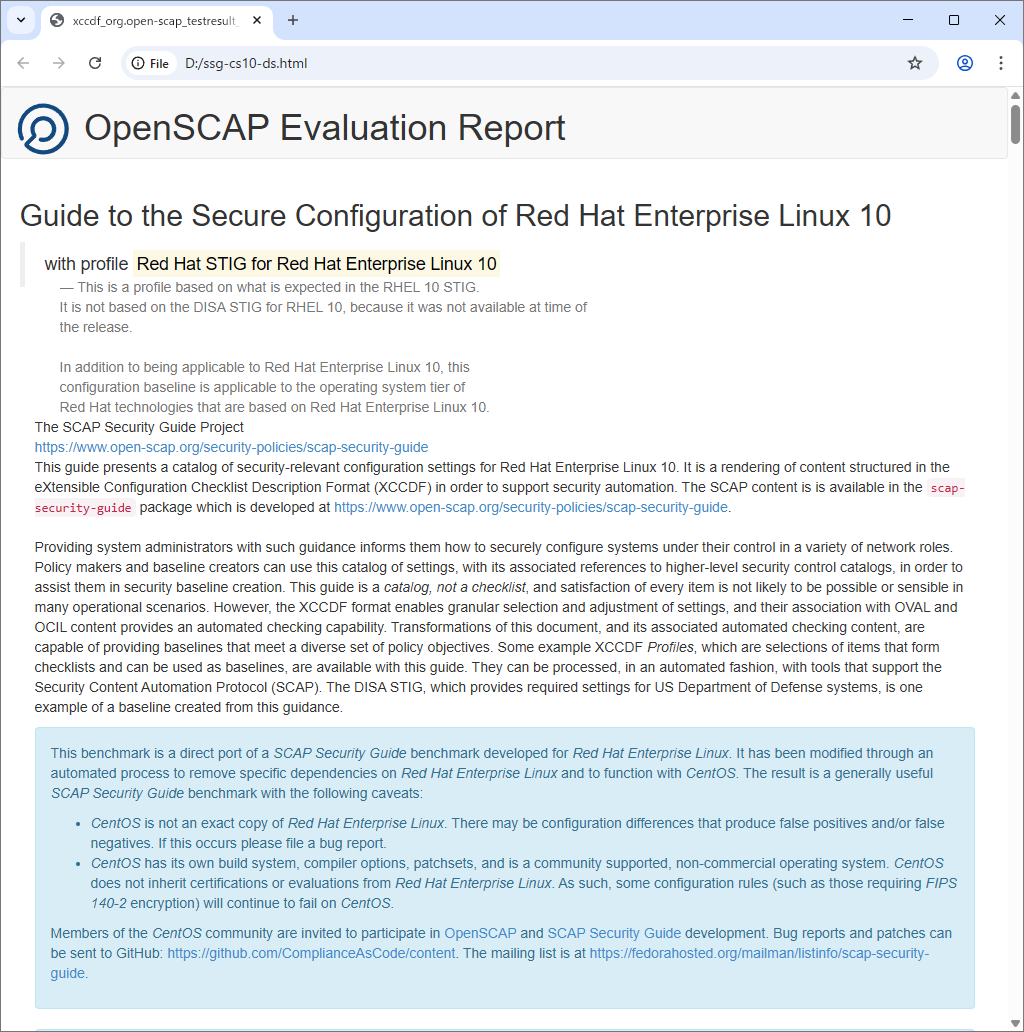
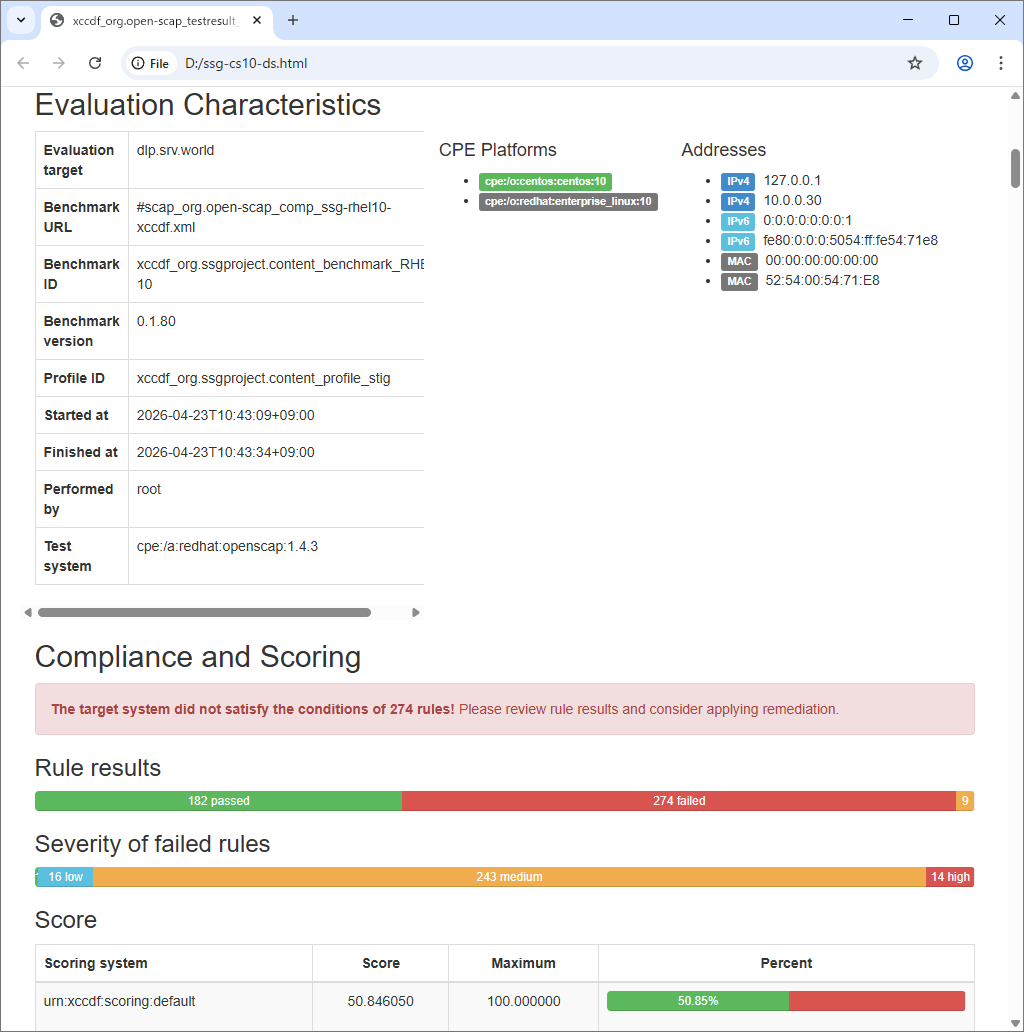
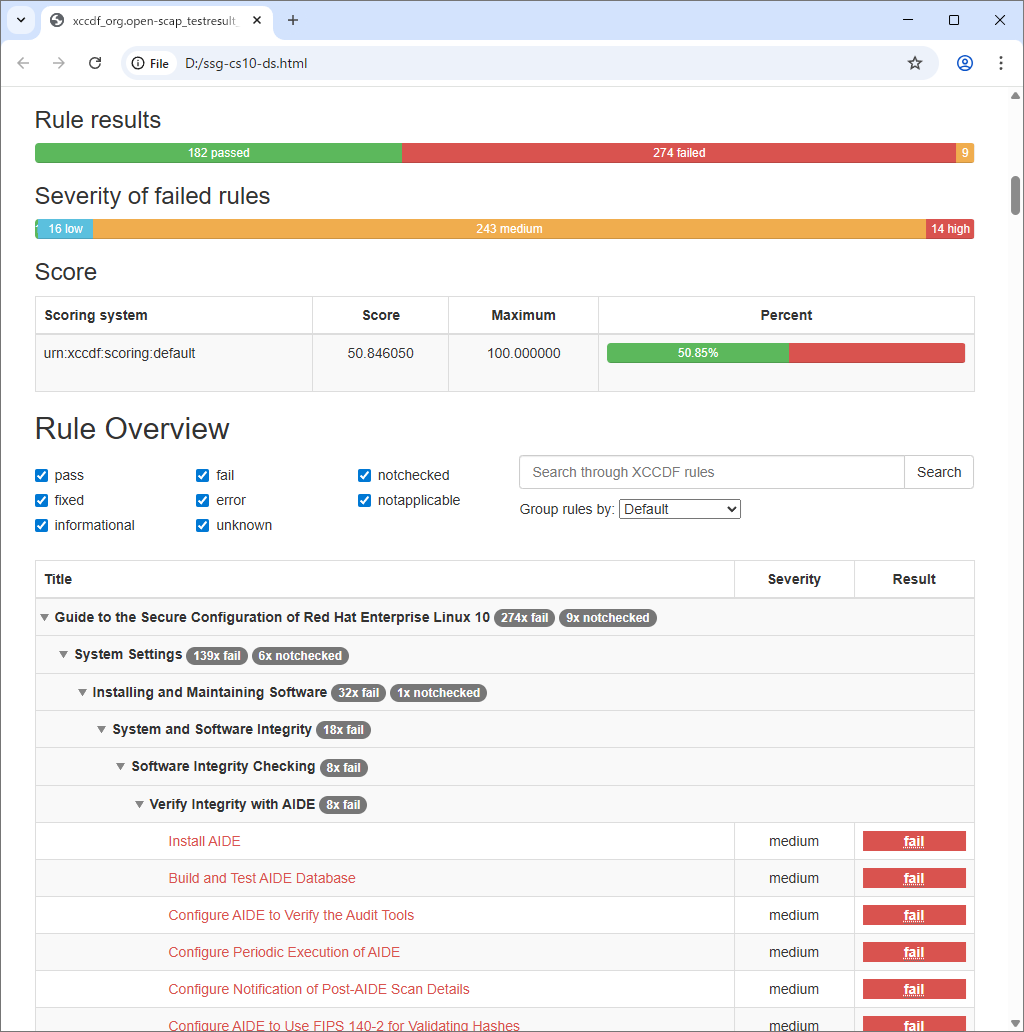
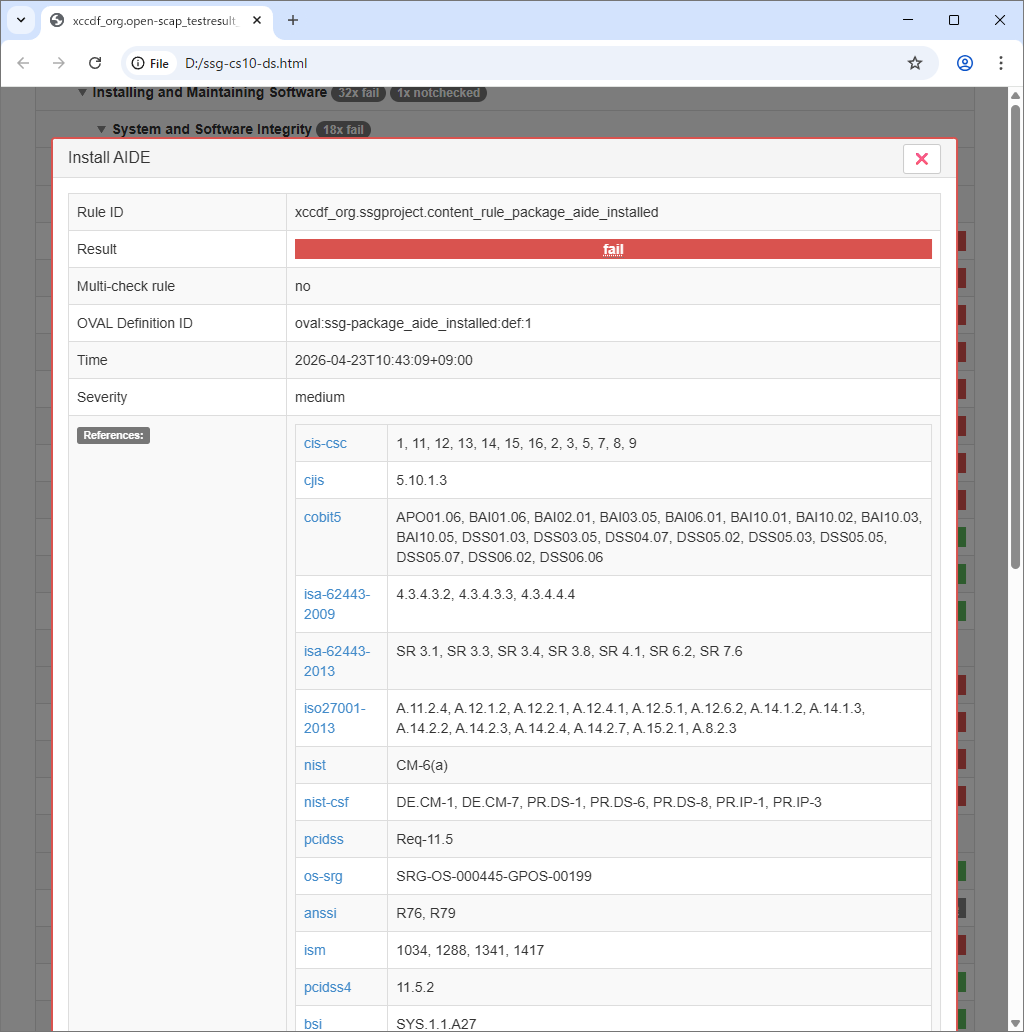
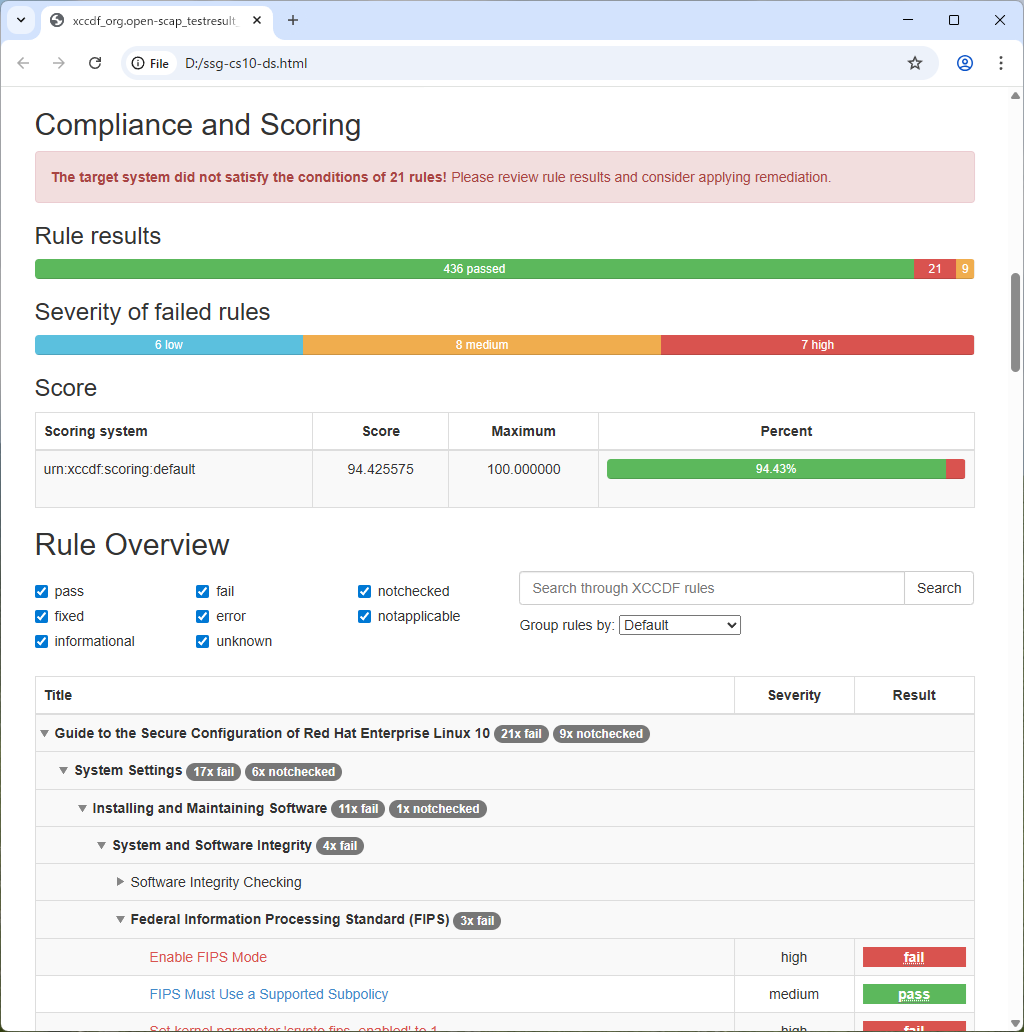
| [3] | [oscap] コマンドでシステムをスキャンします。 結果は HTML 形式のレポートで出力可能なため、任意のコンピューターで内容を確認し、可能な限り [pass] できるよう対応するとよいでしょう。 |
|
# xccdf : [xccdf] モジュールを指定
# ⇒ 指定可能なモジュール : info, xccdf, oval, ds, cpe, cvss, cve, cvrf # [--profile] : プロファイルを指定 # ⇒ 指定可能なプロファイルは [2] で確認した [Profiles] リスト # [--results] : 結果ファイルの出力先 # [--report] : HTML レポートの出力先 oscap xccdf eval \ --profile xccdf_org.ssgproject.content_profile_stig \ --results ssg-cs10-ds.xml \ --report ssg-cs10-ds.html \ /usr/share/xml/scap/ssg/content/ssg-cs10-ds.xml ..... ..... Title Set type of computer node name logging in audit logs Rule xccdf_org.ssgproject.content_rule_auditd_name_format Result fail Title Appropriate Action Must be Setup When the Internal Audit Event Queue is Full Rule xccdf_org.ssgproject.content_rule_auditd_overflow_action Result pass Title Write Audit Logs to the Disk Rule xccdf_org.ssgproject.content_rule_auditd_write_logs Result pass Title Verify Permissions on /etc/audit/auditd.conf Rule xccdf_org.ssgproject.content_rule_file_permissions_etc_audit_auditd Result pass Title Verify Permissions on /etc/audit/rules.d/*.rules Rule xccdf_org.ssgproject.content_rule_file_permissions_etc_audit_rulesd Result pass |
|
|
|
|
| [4] |
スキャンした結果を元に、[fail] と判定された項目について修正スクリプトを生成することもできます。
基本的には、ほぼ全ての [fail] 項目に対しての修正ロジックが生成されます。
また、システムの設定を変更し、セキュリティ設定が厳しくなるため、運用中のサーバーに対して実行する場合は重々注意しましょう。
ただし、[/home] や [/var] などのパーティションは分ける、などといった項目は、ディスク容量との兼ね合いがあるため、自動修正はされません。 さらに、[/tmp] や [/var] などの各マウントポイントに [noexec] や [nosuid] などのオプションを付加せよという項目等は、パーティションを分けていることが前提となるため、分けていない場合は修正スクリプトを実行しても修正はされません。 |
|
# [3] で出力した結果の [Result ID] を確認 [root@dlp ~]# oscap info ssg-cs10-ds.xml | grep "Result ID"
Result ID: xccdf_org.open-scap_testresult_xccdf_org.ssgproject.content_profile_stig
# 修正スクリプト生成
# [--fix-type] : 修正スクリプトのタイプを指定 : デフォルトは Bash # ⇒ 指定可能なタイプ ⇒ bash, ansible, puppet, anaconda, ignition, kubernetes, blueprint # [--output] : ファイルの出力先 # [--result-id] : 確認した [Result ID]
[root@dlp ~]#
[root@dlp ~]# oscap xccdf generate fix \
--fix-type bash \ --output ssg-cs10-ds-remediation.sh \ --result-id xccdf_org.open-scap_testresult_xccdf_org.ssgproject.content_profile_stig \ ssg-cs10-ds.xml total 16020 -rw-------. 1 root root 981 Dec 14 2024 anaconda-ks.cfg -rwx------. 1 root root 1599788 Apr 23 10:53 ssg-cs10-ds-remediation.sh -rw-r--r--. 1 root root 14797108 Apr 23 10:43 ssg-cs10-ds.xml # 修正スクリプト実行 [root@dlp ~]# ./ssg-cs10-ds-remediation.sh ..... ..... Remediating rule 111/112: 'xccdf_org.ssgproject.content_rule_service_usbguard_enabled' Created symlink /etc/systemd/system/basic.target.wants/usbguard.service → /usr/lib/systemd/system/usbguard.service. Remediating rule 112/112: 'xccdf_org.ssgproject.content_rule_usbguard_allow_hid_and_hub' # 再度チェック実行 [root@dlp ~]# oscap xccdf eval \ --profile xccdf_org.ssgproject.content_profile_stig \ --results ssg-cs10-ds.xml \ --report ssg-cs10-ds.html \ /usr/share/xml/scap/ssg/content/ssg-cs10-ds.xml |
| 修正スクリプト実行後、多くの [fail] 項目が改善されたことが分かります。 |
|
関連コンテンツ