SQL Server 2025 : Connect to Database Engine2025/12/12 |
|
Connect to Database Engine Service on localhost. |
| [1] |
It's possible to connect to the service with command operation on localhost without additional installation. Run PowerShell and use [Sqlcmd] command to connect.It is based on that a logon user is the admin user of SQL Server you specified during installation on the example below. |
Windows PowerShell Copyright (C) Microsoft Corporation. All rights reserved. # connect to database service # sqlcmd -S [(Hostname or IP address)\(Instance Name)] # Instance Name is optional if it is default name PS C:\Users\Administrator> sqlcmd -C -S localhost 1> select @@version 2> go --------------------------------------------------------------------------------------------------------------------------------- Microsoft SQL Server 2025 (RTM) - 17.0.1000.7 (X64) Oct 21 2025 12:05:57 Copyright (C) 2025 Microsoft Corporation Enterprise Evaluation Edition (64-bit) on Windows Server 2025 Datacenter Evaluation 10.0 <X64> (Build 26100: ) (Hypervisor) (1 rows affected) 1> exit |
| [2] |
If you'd like to connect on localhost with GUI operation, it needs to install SQL Server Management Studio (SSMS). Download and Install SSMS from the official site below. ⇒ https://learn.microsoft.com/en-us/ssms/install/install After installing SSMS, run it. |
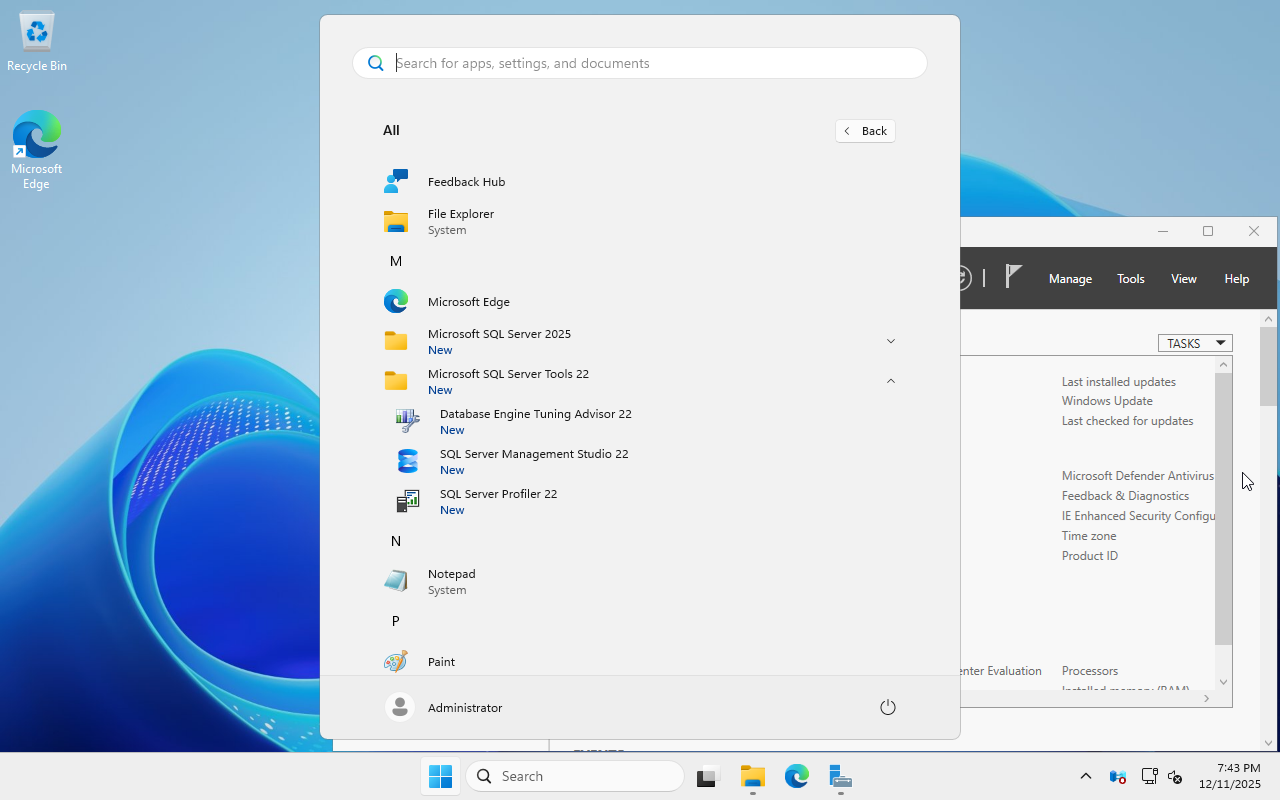
|
| [3] | Click [Connect] button. It's OK to keep default for all selection if localhost connection. |
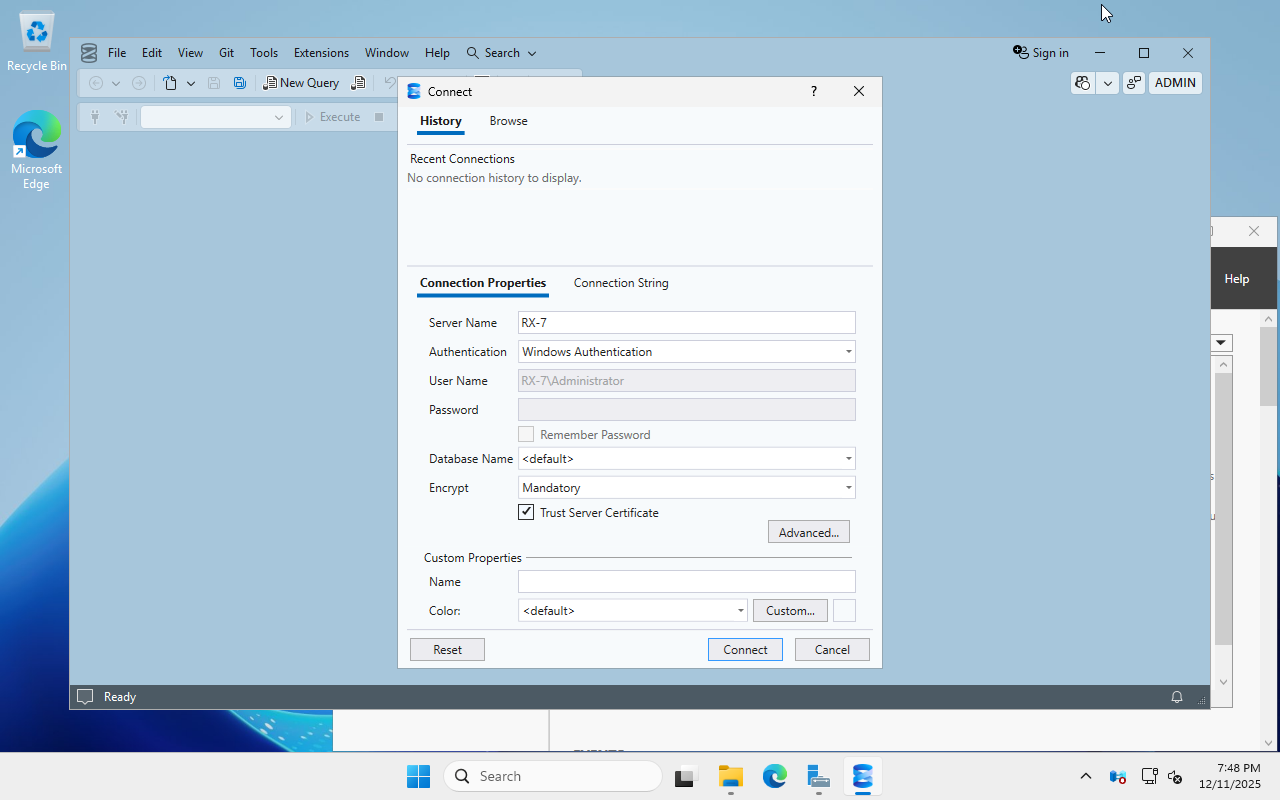
|
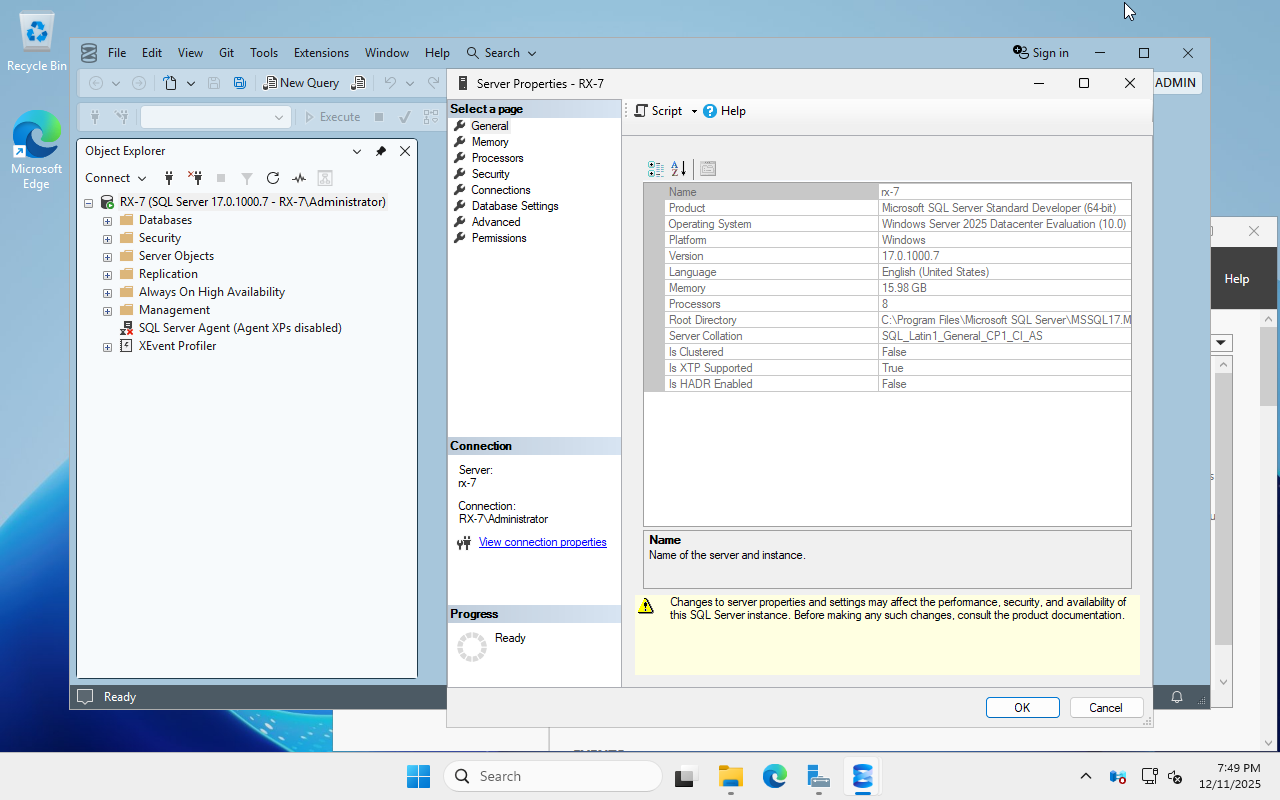
| [4] | Just connected. It's possible to manage and configure SQL Server on here. |
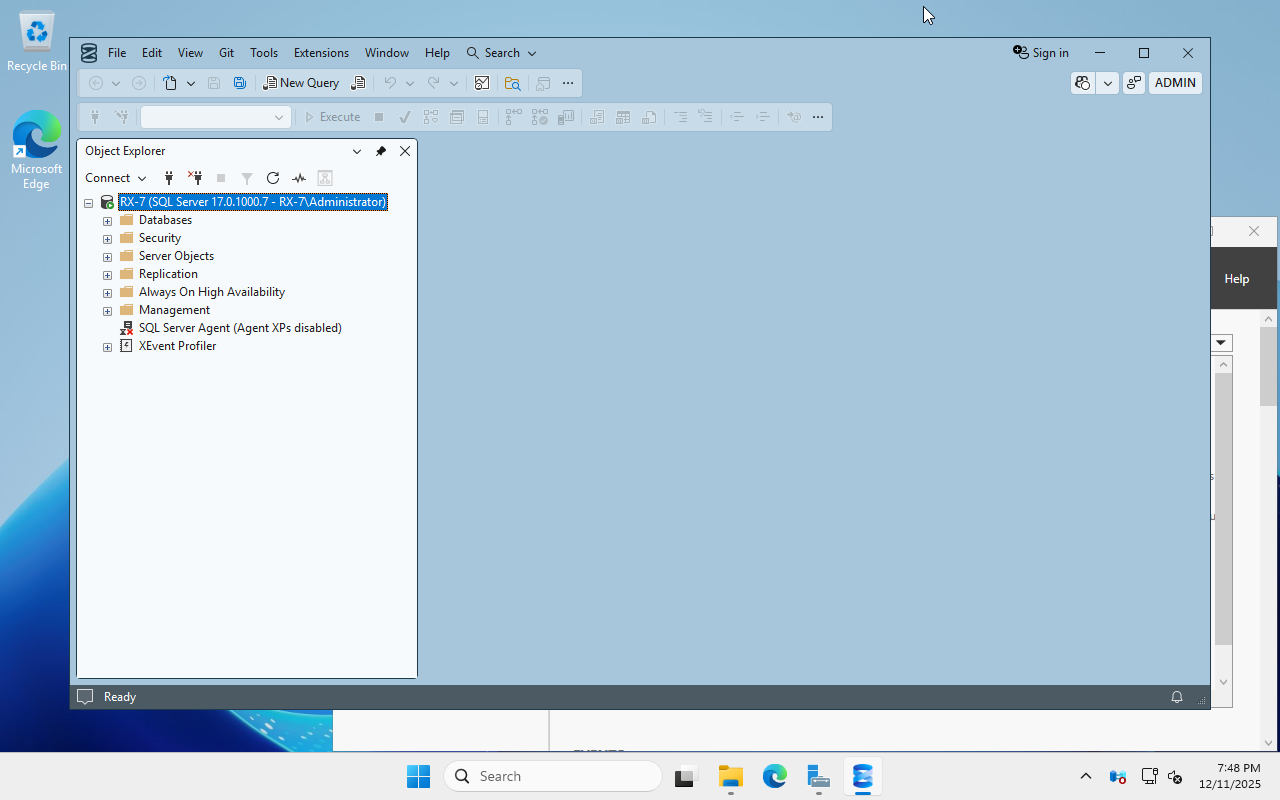
|
|
Matched Content