Windows Admin Center : Add Target Hosts2019/03/19 |
|
Add Target Hosts on Windows Admin Center.
|
|
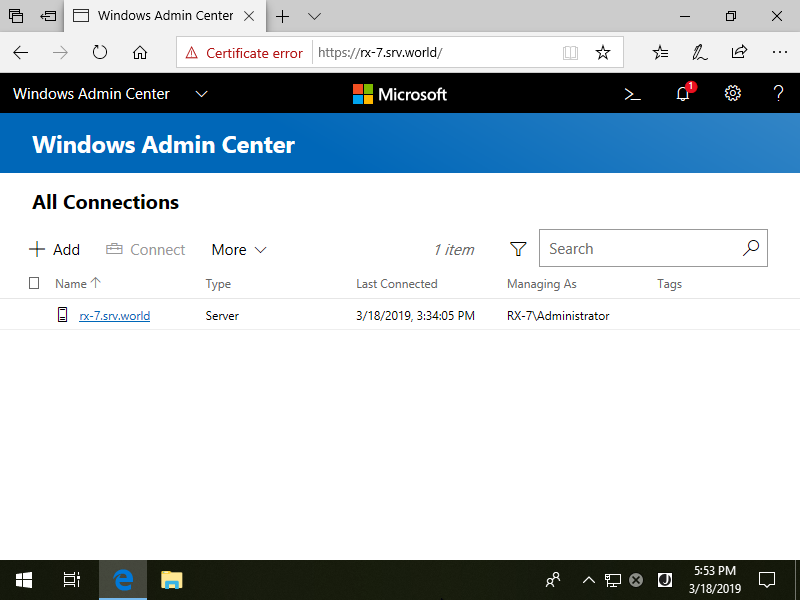
| [1] | Logon to Windows Admin Center and Click [+ Add] link. |
|
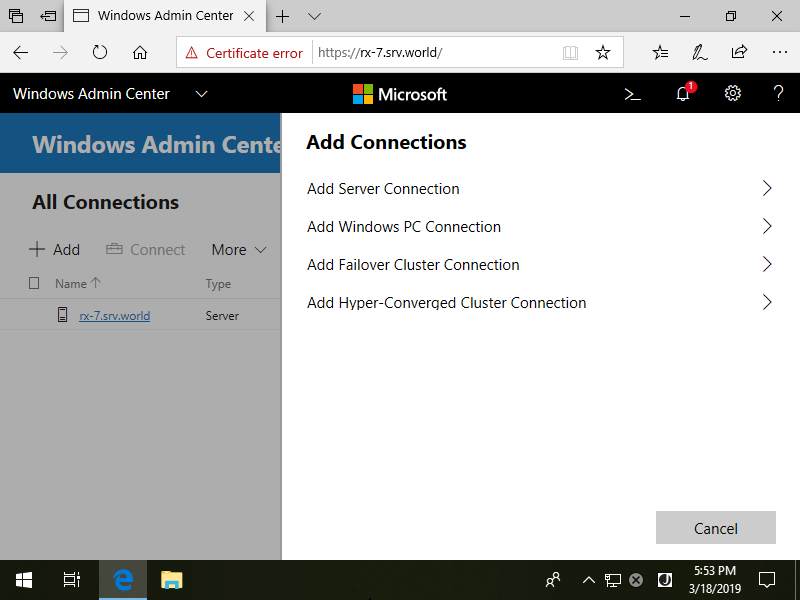
| [2] | Click [Add Server Connection]. |
|
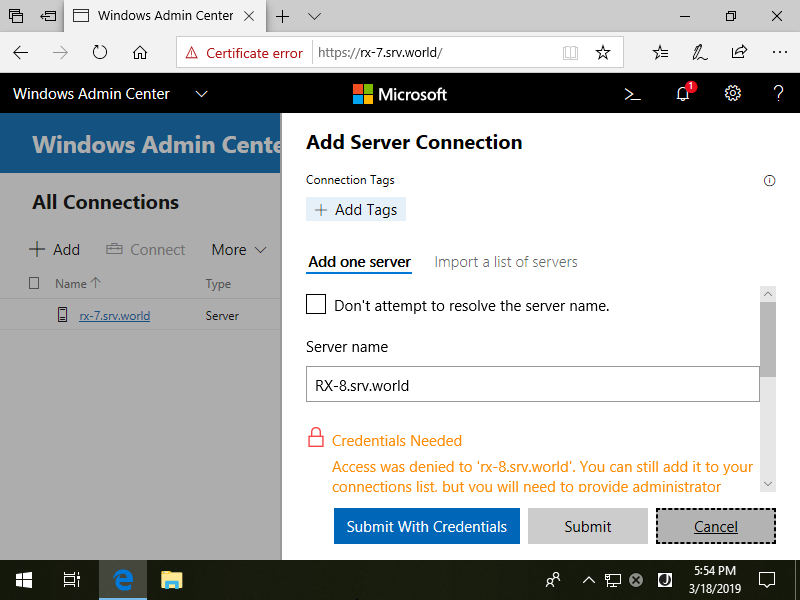
| [3] | Input a Hostname you'd like to add. |
|
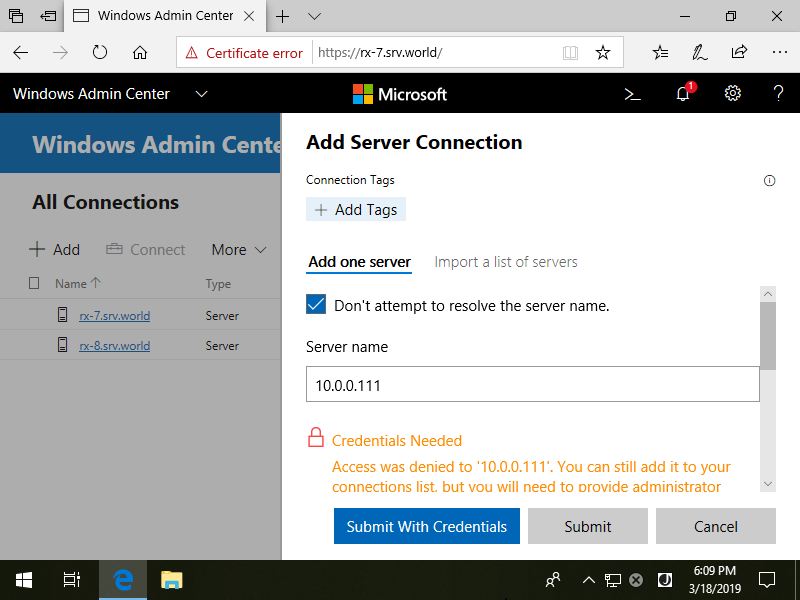
| [4] | By the way, if Admin Center Host can not resolve the name of the Host you'd like to add, check a box [Don't attempt to resolve the server name] and specify the IP address of the Host. |
|
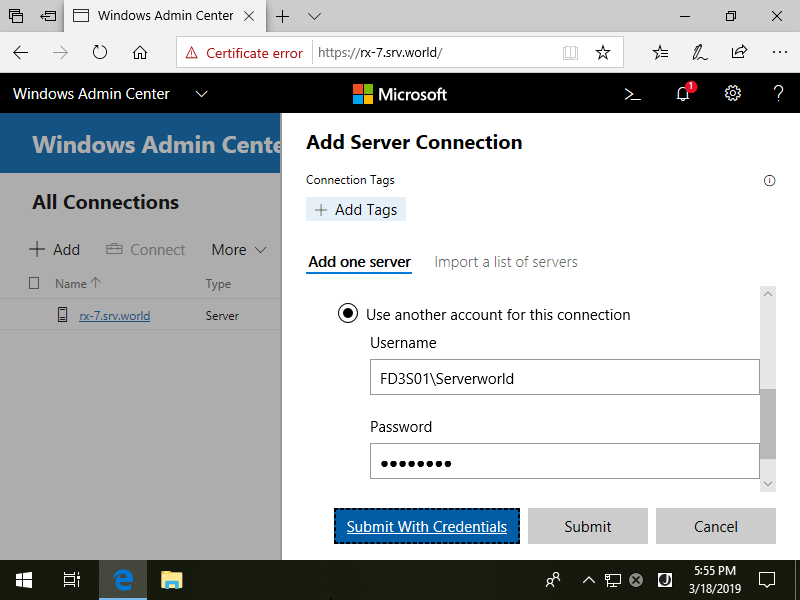
| [5] | Input Credentials for the Host and Click [Submit with Credentials] button. |
|
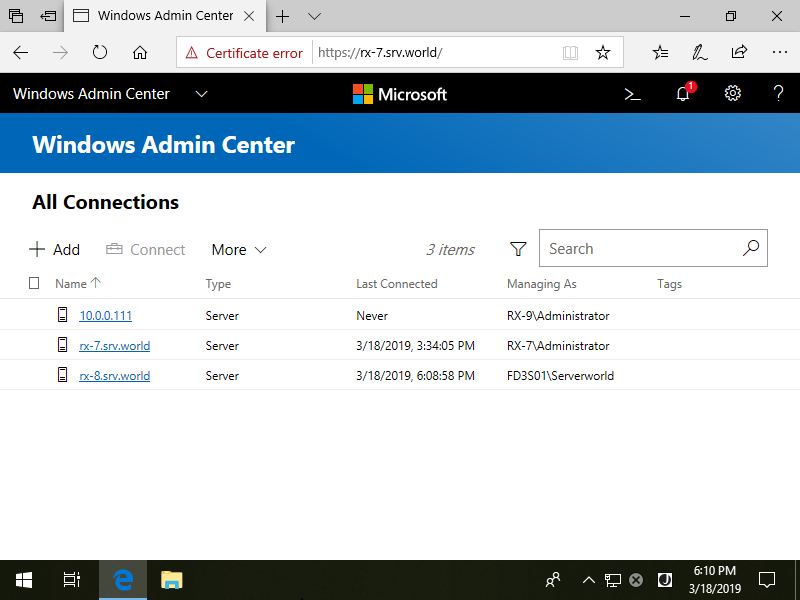
| [6] | A new Target Host has been added like follows. |
|
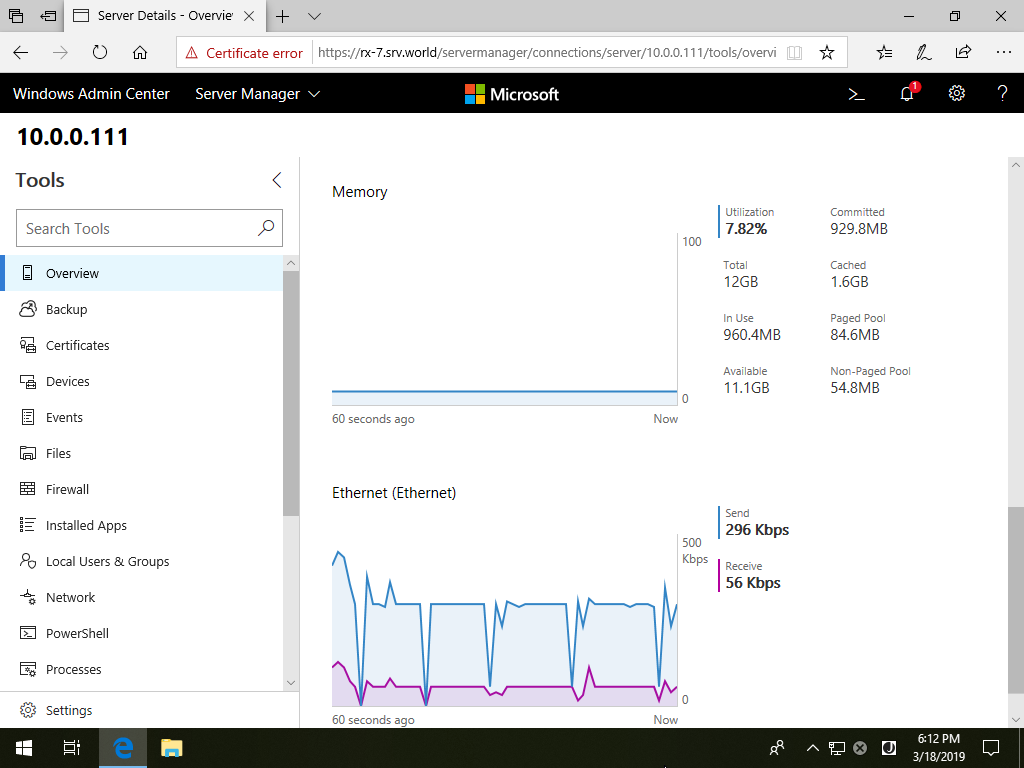
| [7] | If Admin Center can connect to the new Host successfully, Status of the Host is displayed like follows. |
|
Matched Content