Ubuntu 26.04 LTS : Install2026/04/24 |
|
Install Ubuntu 26.04 Server. |
|
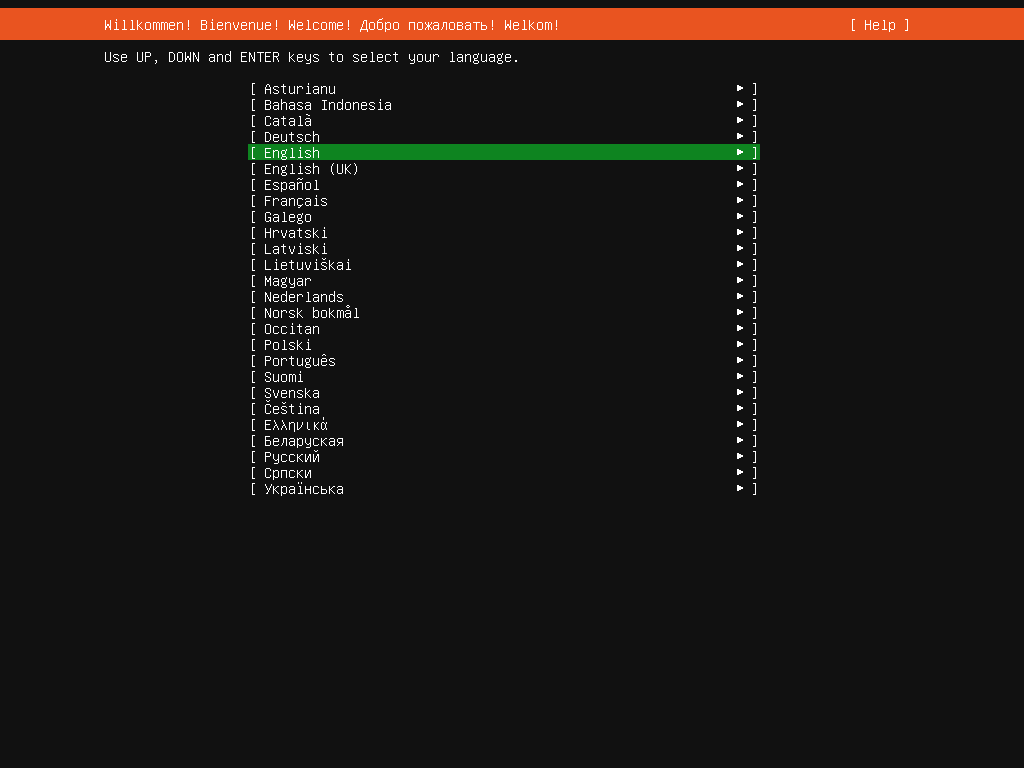
| [1] | Insert a disk for installation of Ubuntu 26.04 and reboot your computer. Next, Choose your language and proceed to next. |
|
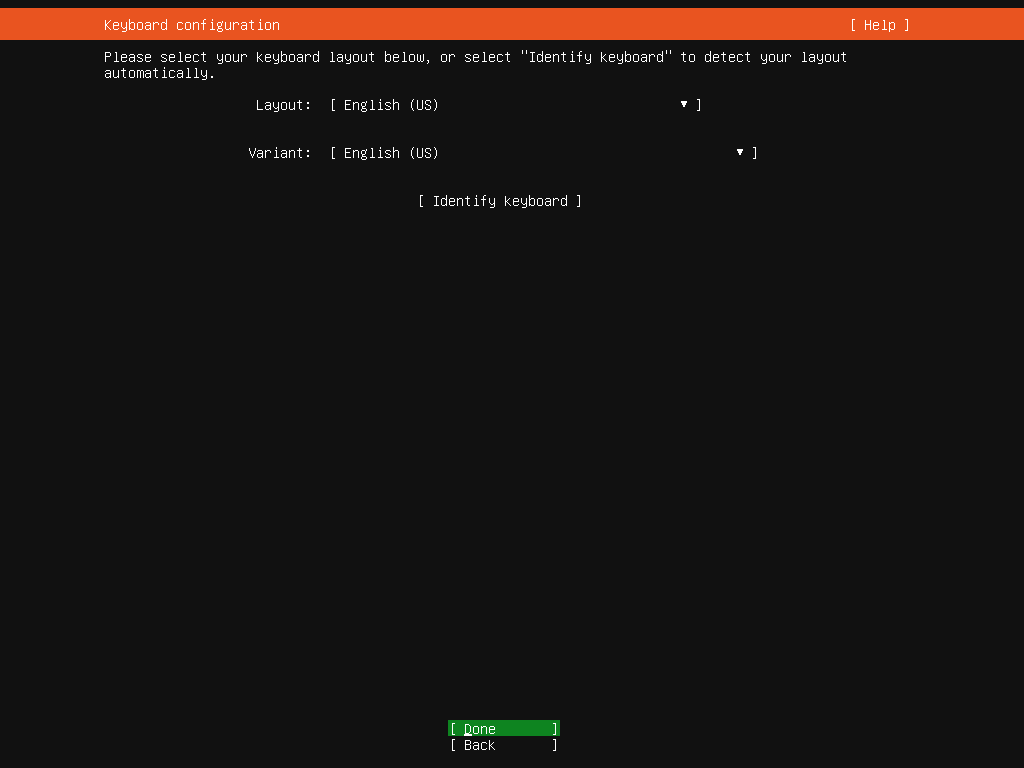
| [2] | Select your keyboard layout. Move to next fields with tab key, View list with Enter key, Choose an item with cursor key. |
|
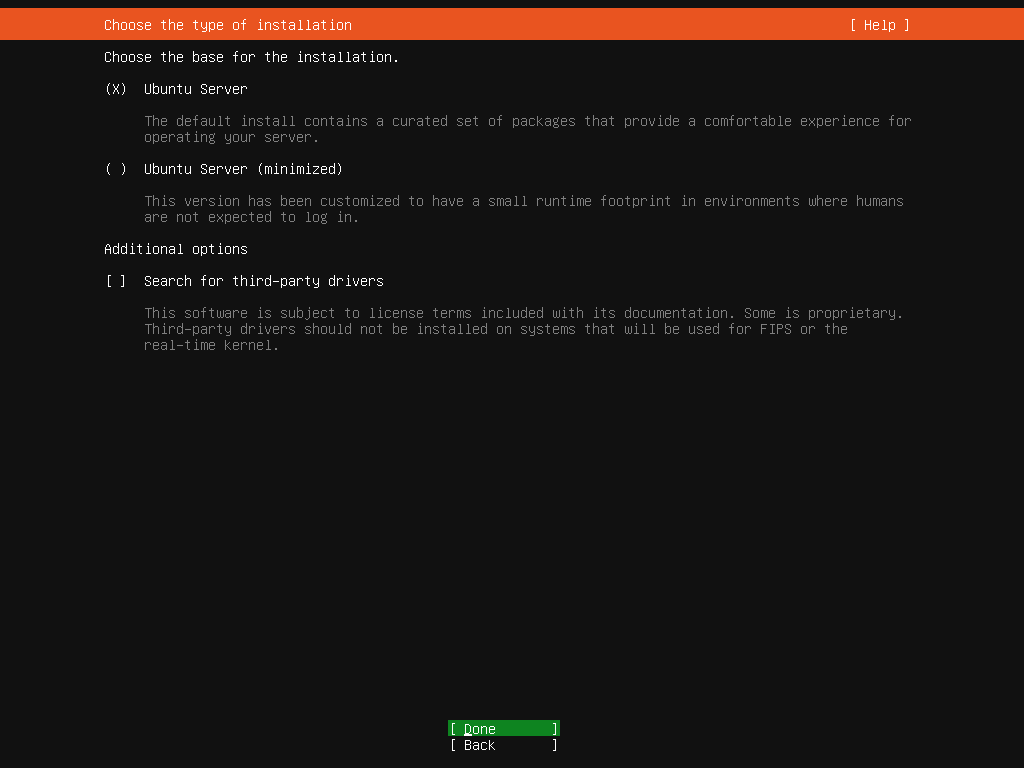
| [3] | Choose the Ubuntu server base for installation. |
|
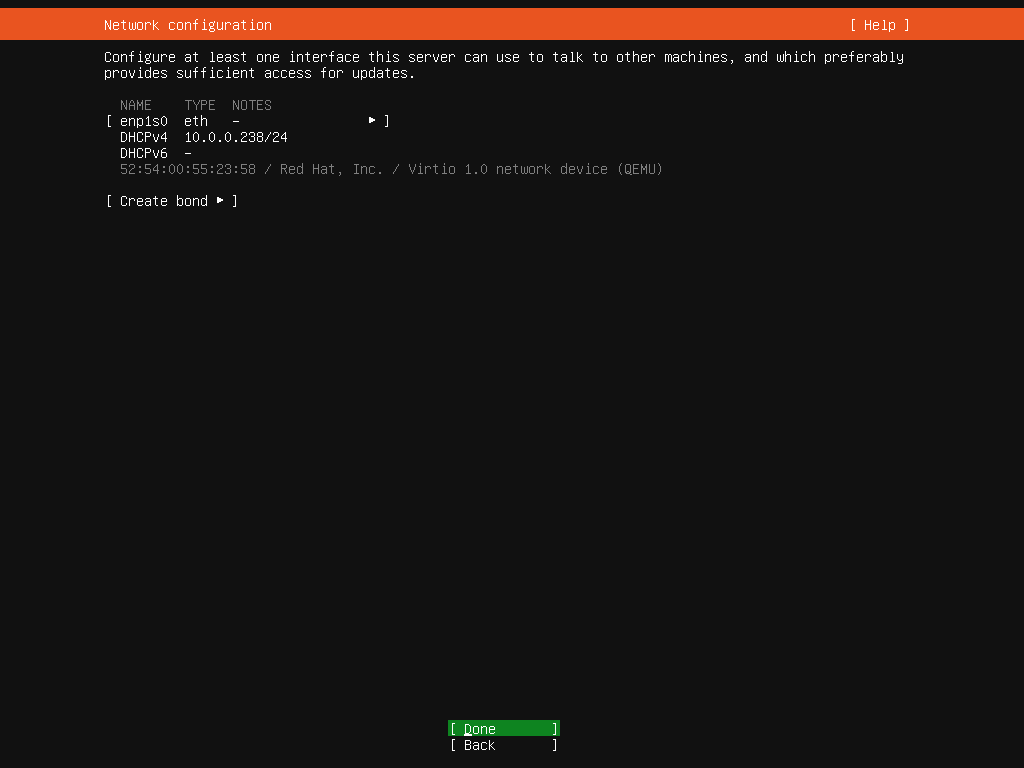
| [4] | This is the network configuration section. If DHCP server exists in your local network, IP address is assigned automatically. |
|
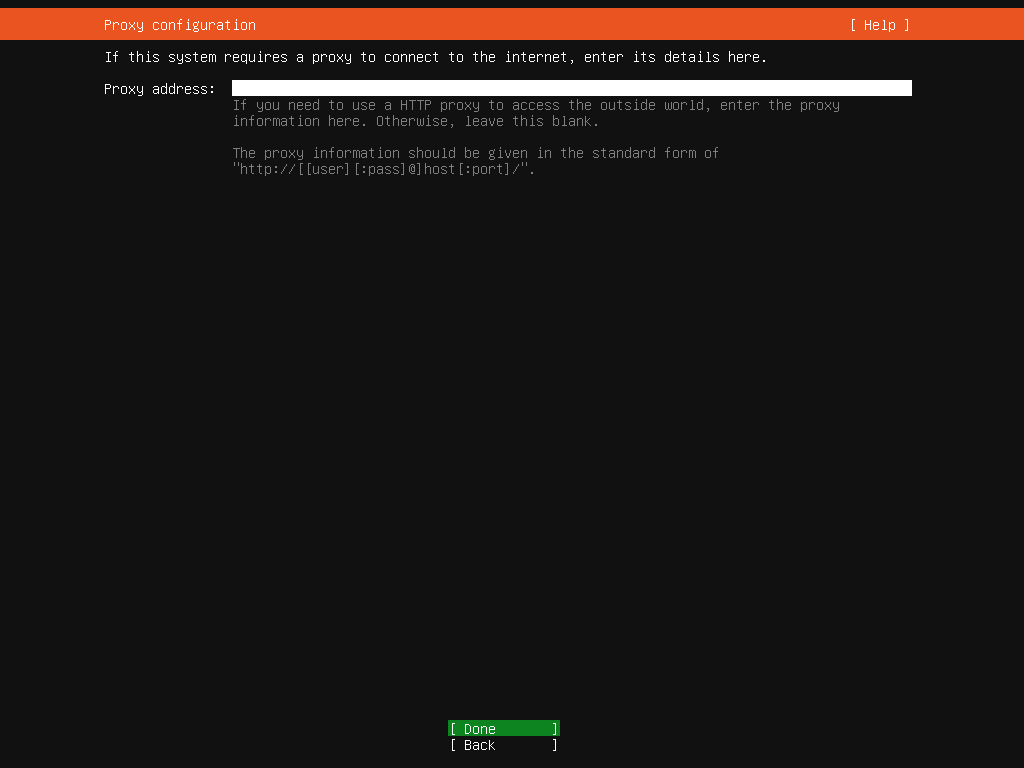
| [5] | Set Proxy Server URL if you need. If not need, it's OK to proceed with empty. |
|
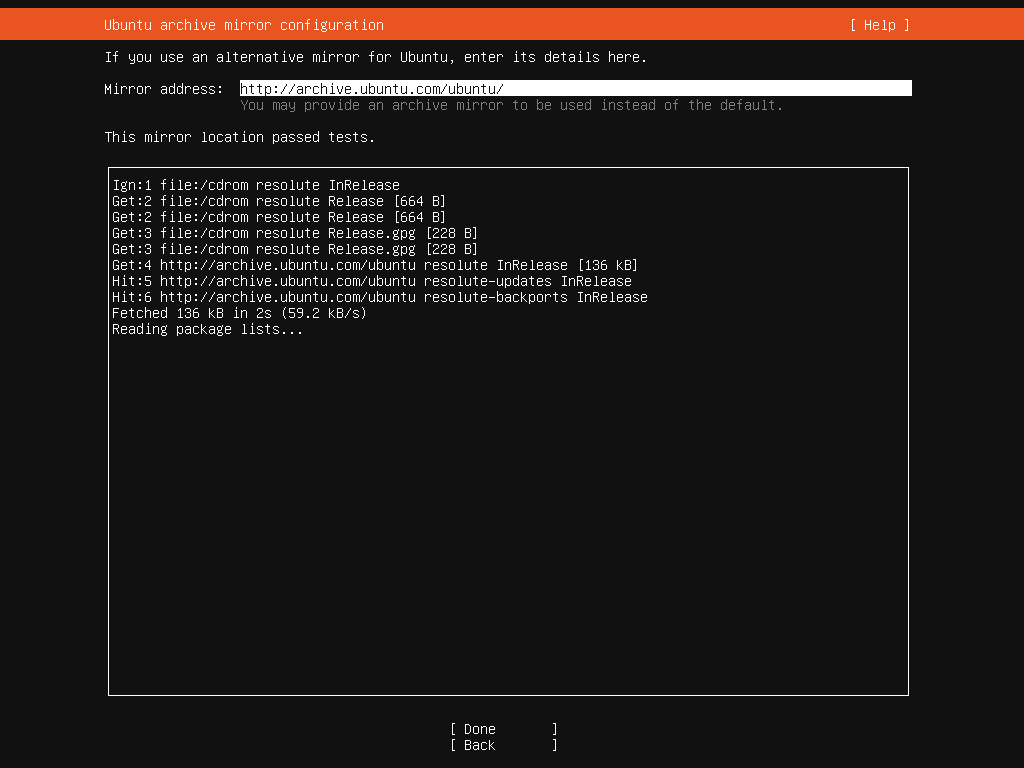
| [6] | Input mirror Server URL to get packages from. Generally, it is configured nearest one automtically by detecting your location. |
|
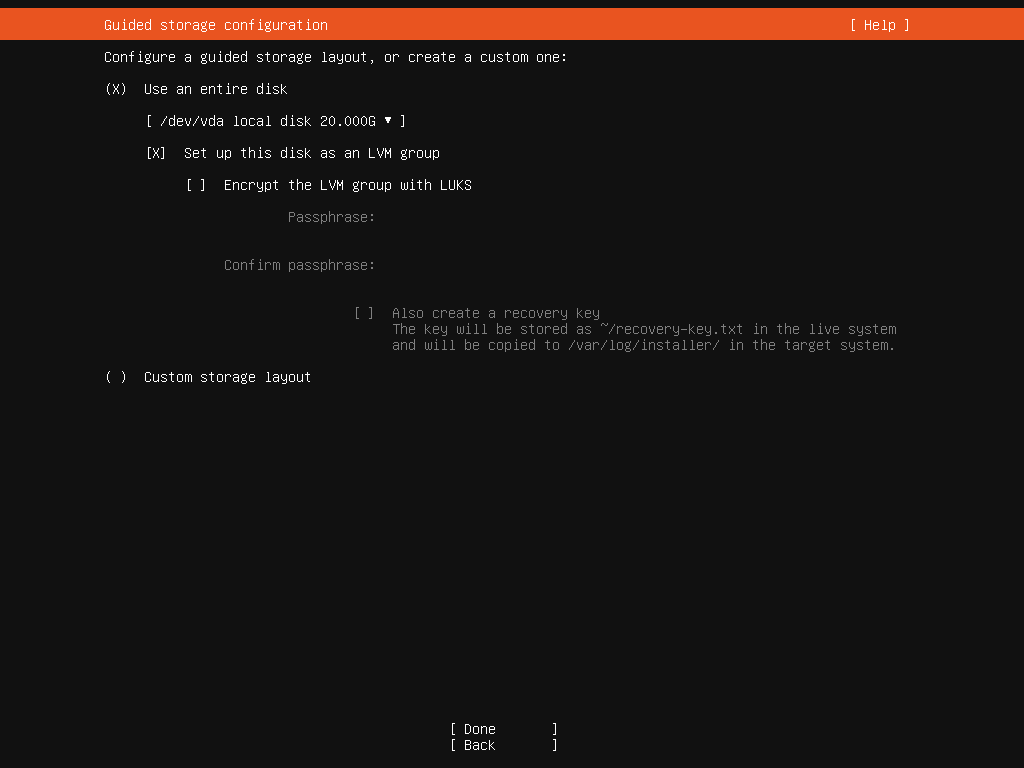
| [7] | This is the storage configuration section. Configure partition layouts and so on. If you don't have specific requirements, it's OK to proceed with default settings. |
|
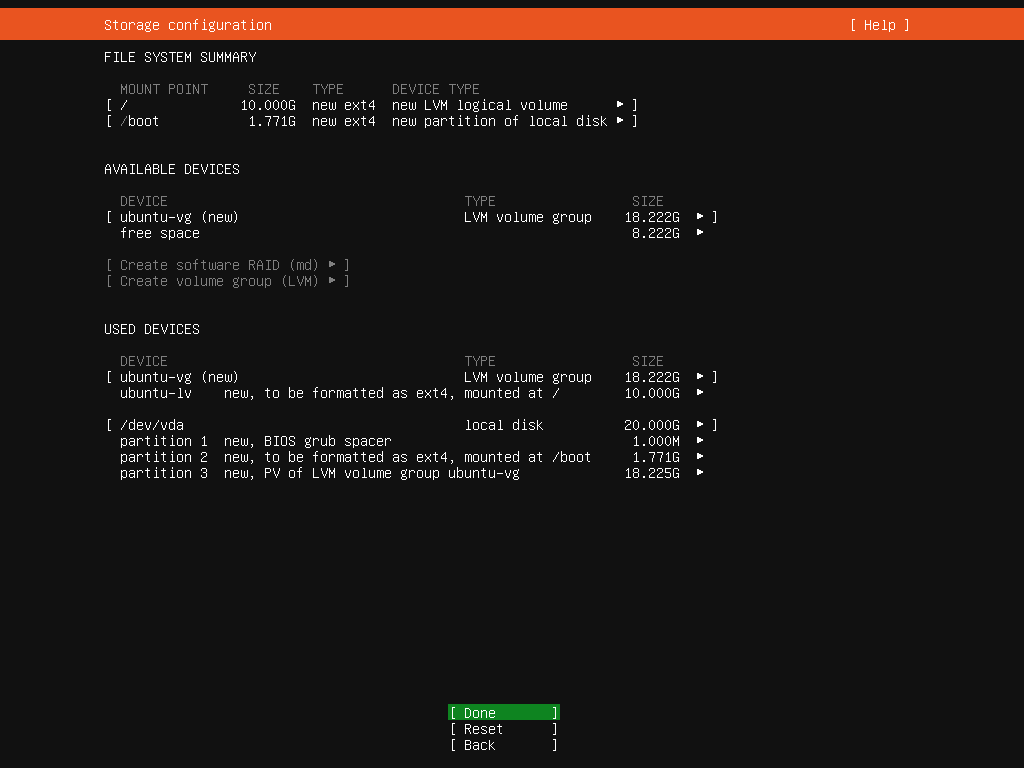
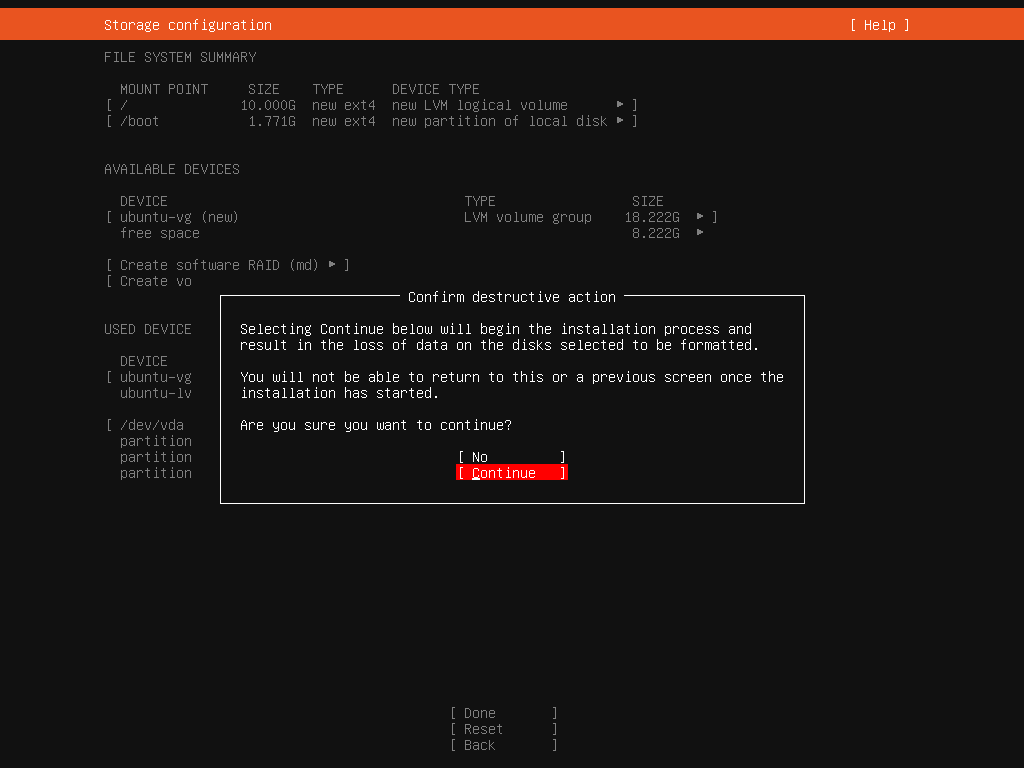
| [8] | This is the storage configuration summary. If OK all, select [Done] and proceed to next. |
|
| [9] | Confirmation is required because existing data in selected storage are formatted all. If OK, select [Continue]. |
|
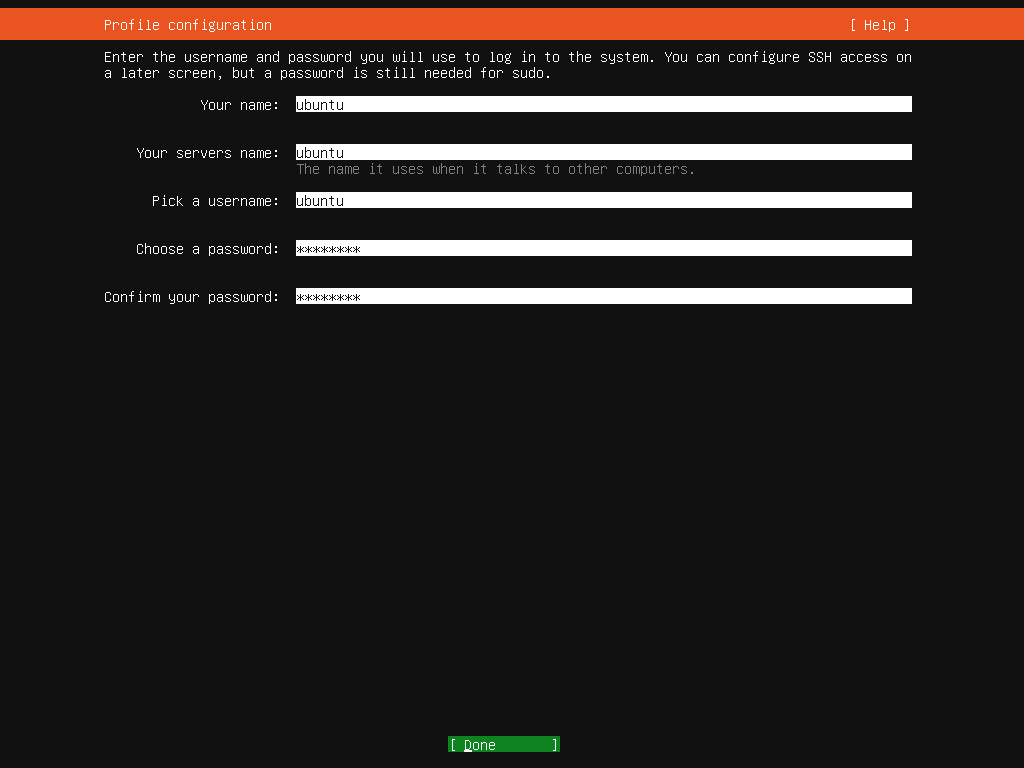
| [10] | Set administrative user account. Input any user name and password you like. |
|
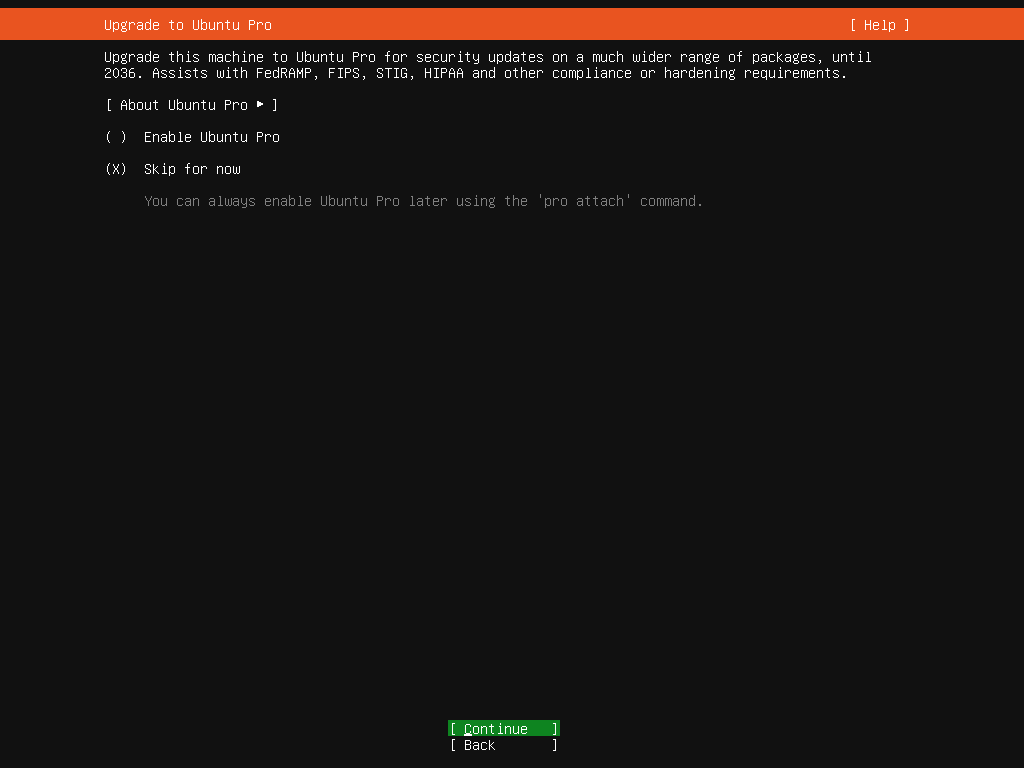
| [11] | Select whether to upgrade to Ubuntu Pro. Ubuntu Pro comes with 10 years of paid support. However, up to 5 devices can be used free of charge for personal use. (Requires Ubuntu One account) |
|
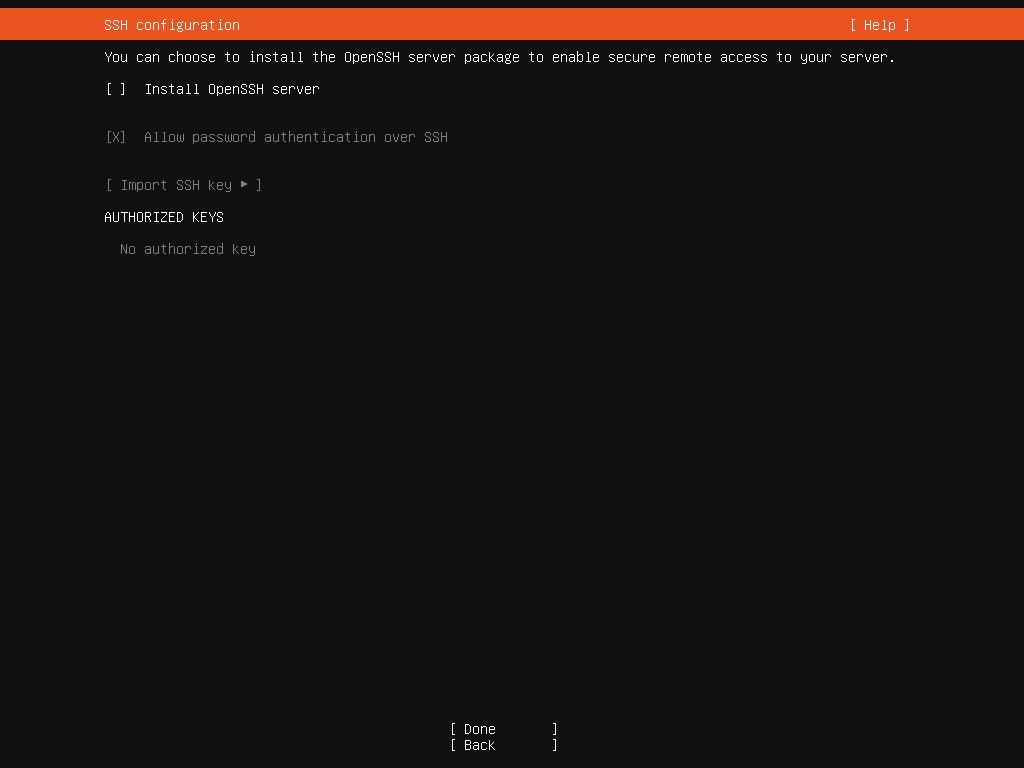
| [12] | Choose to install SSH Server or not during this installation. |
|
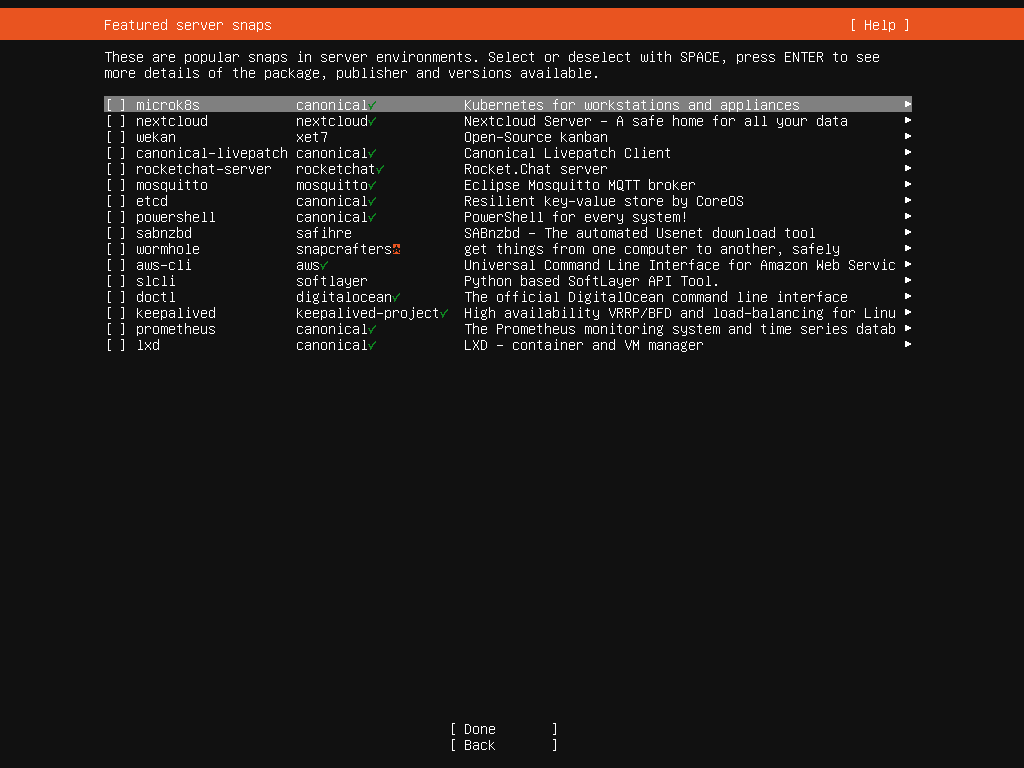
| [13] | Select applications or software environment they are often used on Server usage. If you don't have specific requirements, it's OK to proceed without checking any items. |
|
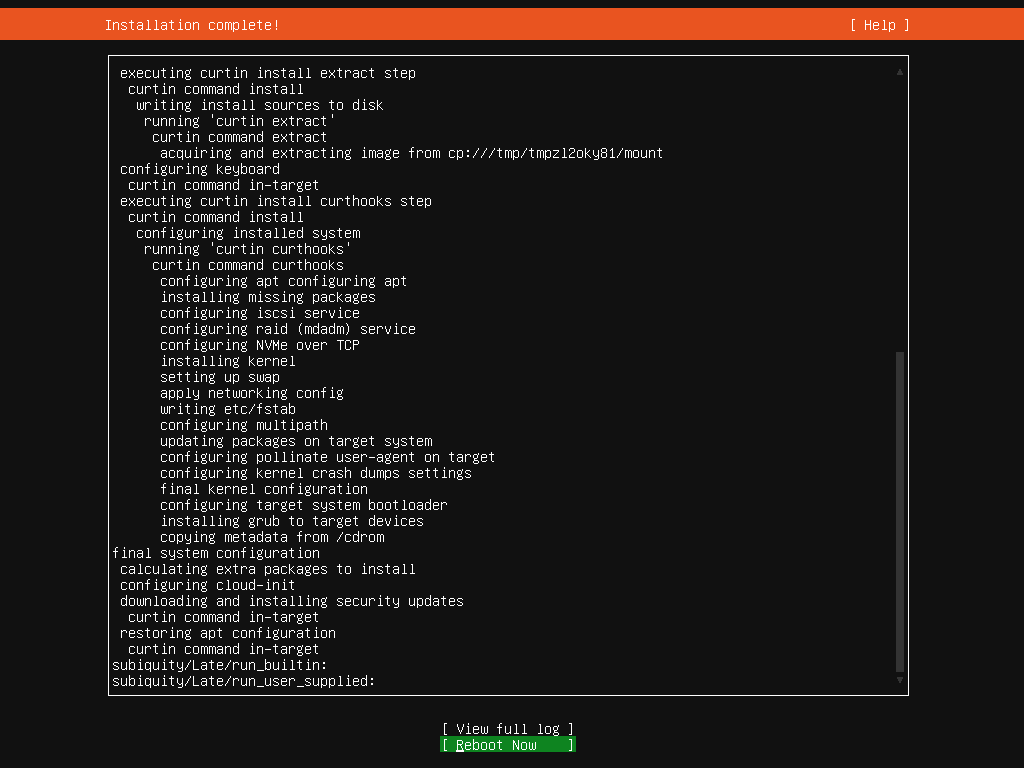
| [14] | After Installation proccess is finished, choose [Reboot Now] to restart computer. |
|
| [15] | After restarting computer, login with a user and password you set during the installation. If logined normally, your Ubuntu Server installation finished successfully. |
Ubuntu 24.04 LTS ubuntu ttyS0 ubuntu login: ubuntu Password: Welcome to Ubuntu 26.04 LTS (GNU/Linux 7.0.0-14-generic x86_64) * Documentation: https://docs.ubuntu.com * Management: https://landscape.canonical.com * Support: https://ubuntu.com/pro System information as of Fri Apr 24 04:21:03 UTC 2026 System load: 1.02 Memory usage: 6% Processes: 149 Usage of /: 40.6% of 13.67GB Swap usage: 0% Users logged in: 0 Expanded Security Maintenance for Applications is not enabled. 0 updates can be applied immediately. Enable ESM Apps to receive additional future security updates. See https://ubuntu.com/esm or run: sudo pro status ubuntu@ubuntu:~$ |
Matched Content