Ubuntu 26.04 (Resolute Raccoon) : Download2026/04/24 |
| [1] |
Download Ubuntu 26.04 ( released on 23 April 2026, supported untill the end of April 2031 ) from the following site. ⇒ https://releases.ubuntu.com/26.04/ |
Create installation media for Ubuntu 26.04 (USB stick) |
|
Write the ISO image to a USB stick to create installation media for Ubuntu 26.04. |
|
| [2] |
Download and install [Fedora Media Writer] from the following site. |
| [3] | Attach USB stick to your computer. Next, run Fedora Media Writer and select [select .iso file] option. |
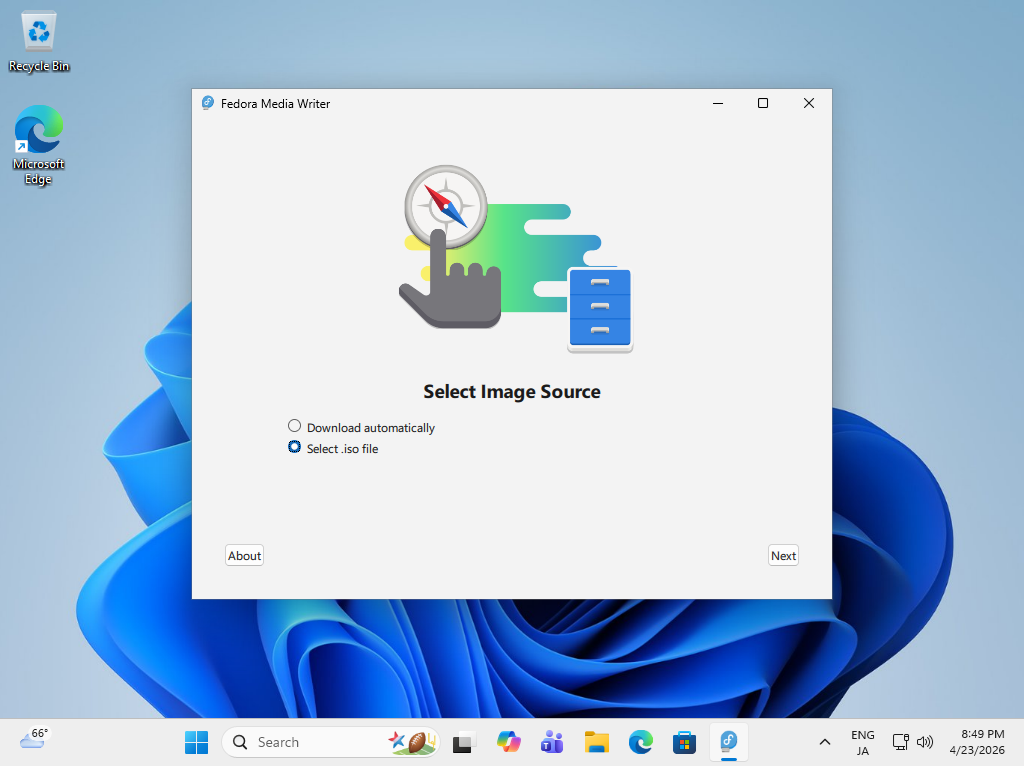
|
| [4] | For USB Drive section, select USB stick you like to write ISO image. For file section, select the ISO image you downloaded. If that's OK, click the [Write] button to start writing. After finishing writing, eject the USB stick and proceed to the installation step. |
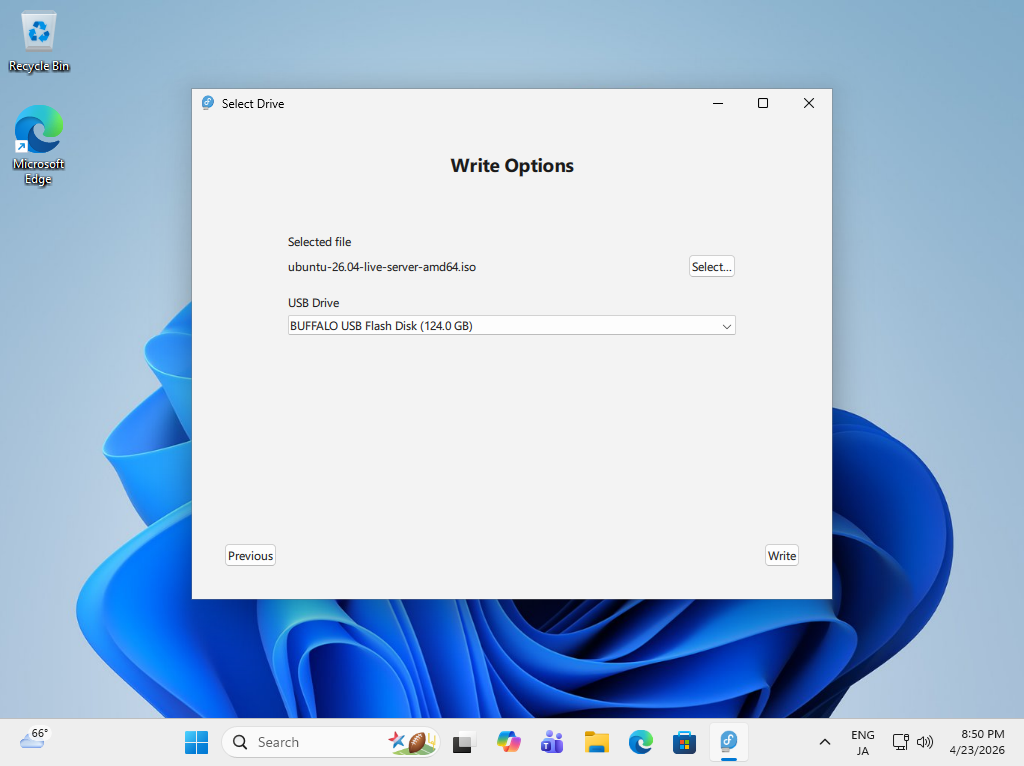
|
Create installation media for Ubuntu 26.04 (DVD) |
|
Write the ISO image to a DVD to create installation media for Ubuntu 26.04. |
|
| [5] | Insert an empty DVD to optical drive. Next, right-click the ISO image of Fedora and select [Burn Disk image] in the menu. |
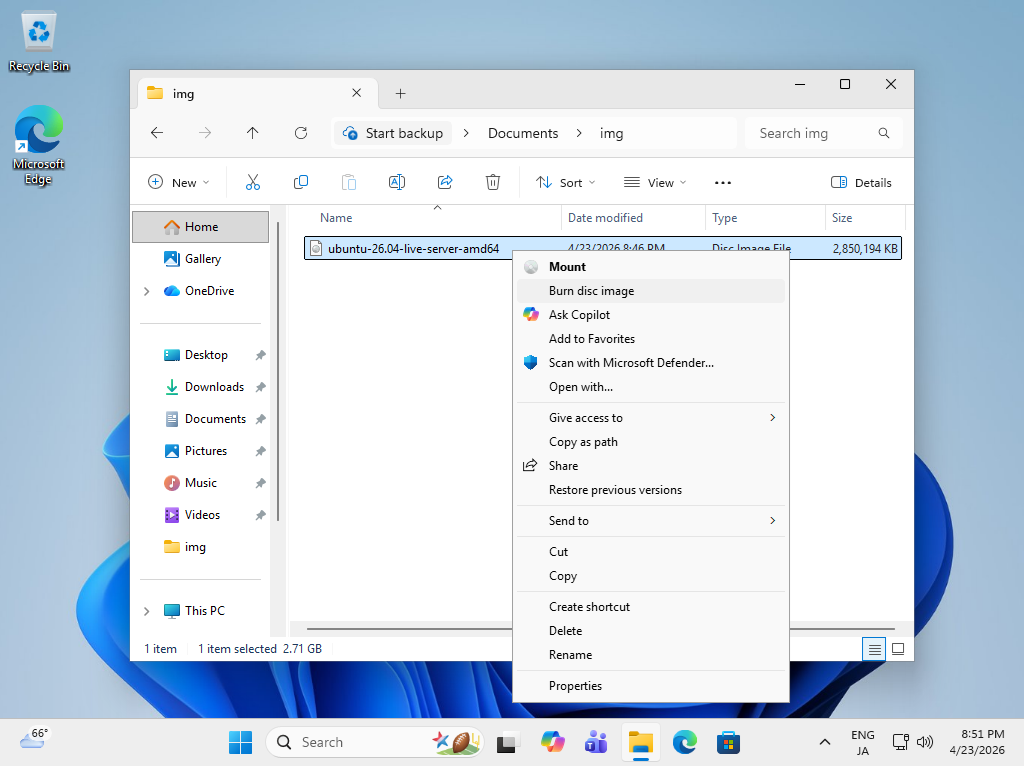
|
| [6] | Click the [Burn] button and start writing. After finishing writing, eject the disk and proceed to the installation step. |
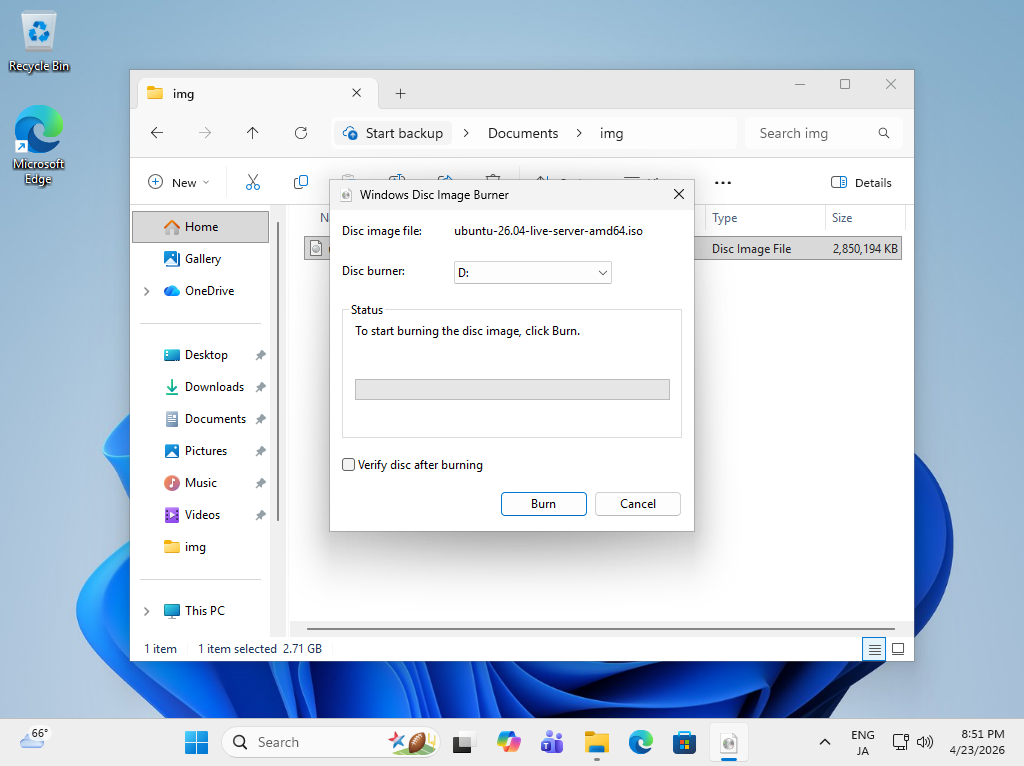
|
Matched Content