Nginx : SSL/TLS Setting2020/08/28 |
|
Enable SSL/TLS setting to use secure encrypted connection.
|
|
| [1] | |
| [2] | Configure Nginx. For example, enable SSL/TLS on default site. |
|
root@www:~#
vi /etc/nginx/sites-available/default # add to the end # replace servername and path of certificates to your own one
server {
       listen       443 ssl http2 default_server;
       listen       [::]:443 ssl http2 default_server;
       server_name  www.srv.world;
       root         /var/www/html;

       ssl_certificate "/etc/letsencrypt/live/www.srv.world/fullchain.pem";
       ssl_certificate_key "/etc/letsencrypt/live/www.srv.world/privkey.pem";
       ssl_session_cache shared:SSL:1m;
       ssl_session_timeout  10m;

       index index.html
       include /etc/nginx/default.d/*.conf;

       location / {
              try_files $uri $uri/ =404;
       }

       error_page 404 /404.html;
              location = /40x.html {
       }

       error_page 500 502 503 504 /50x.html;
              location = /50x.html {
       }
}
systemctl restart nginx |
| [3] | If you'd like to set HTTP connection to redirect to HTTPS (Always on SSL/TLS), configure like follows. |
|
root@www:~#
vi /etc/nginx/sites-available/default # add into the section of listening 80 port
server {
        listen 80 default_server;
        listen [::]:80 default_server;
        return 301 https://$host$request_uri;
root@www:~# systemctl restart nginx |
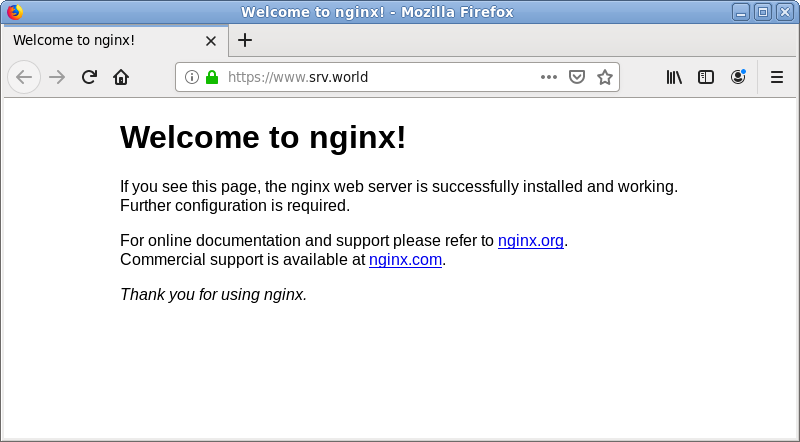
| [4] | Verify to access to the test page from a client computer with a Web browser via HTTPS. If you set Always On SSL/TLS, access with HTTP to verify the connection is redirected to HTTPS normally, too. |
|
Matched Content