OpenSSH : Password Authentication2025/12/18 |
|
Configure SSH Server to manage a server from the remote computer. SSH uses 22/TCP. |
|
| [1] | The OpenSSH server allows login using password authentication by default, so if the service is enabled, you can log in remotely. |
|
# check the status of sshd root@dlp:~ # grep sshd /etc/rc.conf sshd_enable="YES"
root@dlp:~ #
service sshd status sshd is running as pid 1264. # if sshd_enable="NO" is set, change it to YES and start the service root@dlp:~ # service sshd start |
SSH Client : FreeBSD |
|
How to connect to SSH server from FreeBSD client computer. |
|
| [2] | Connect to the SSH server with a common user. |
|
# ssh [username@hostname or IP address] freebsd@node01:~ $ ssh freebsd@dlp.srv.world
The authenticity of host 'dlp.srv.world (10.0.0.30)' can't be established.
ED25519 key fingerprint is SHA256:sMH9Z+x8vA09rKvM/j7rZub+I0m2josPhCIVogXQzH4.
This key is not known by any other names.
Are you sure you want to continue connecting (yes/no/[fingerprint])? yes
Warning: Permanently added 'dlp.srv.world' (ED25519) to the list of known hosts.
(freebsd@dlp.srv.world) Password for freebsd@dlp.srv.world:
Last login: Thu Dec 18 08:35:23 2025 from 10.0.0.5
FreeBSD 15.0-RELEASE (GENERIC) releng/15.0-n280995-7aedc8de6446

Welcome to FreeBSD!
.....
.....
freebsd@dlp:~ $ # logined |
| [3] | It's possible to execute commands on remote Host by specifying commands as an argument of the ssh command. |
|
# for example, open [/etc/passwd] on remote host freebsd@node01:~ $ ssh freebsd@dlp.srv.world "cat /etc/passwd" (freebsd@dlp.srv.world) Password for freebsd@dlp.srv.world: root:*:0:0:Charlie &:/root:/bin/sh toor:*:0:0:Bourne-again Superuser:/root: daemon:*:1:1:Owner of many system processes:/root:/usr/sbin/nologin operator:*:2:5:System &:/:/usr/sbin/nologin bin:*:3:7:Binaries Commands and Source:/:/usr/sbin/nologin tty:*:4:65533:Tty Sandbox:/:/usr/sbin/nologin ..... ..... |
SSH Client : Windows#1 |
|
Configure SSH Client for Windows. |
|
| [4] |
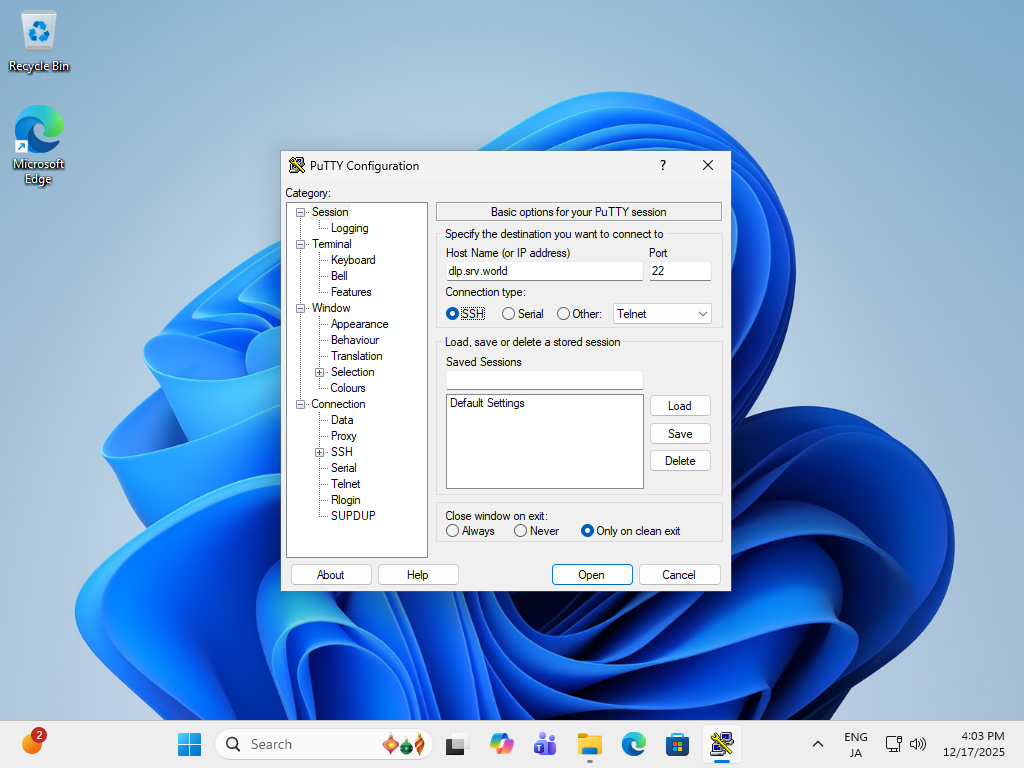
Get a SSH Client for Windows. This example shows to use Putty like follows. Input the IP address of your server and Click the [Open] button. |
|
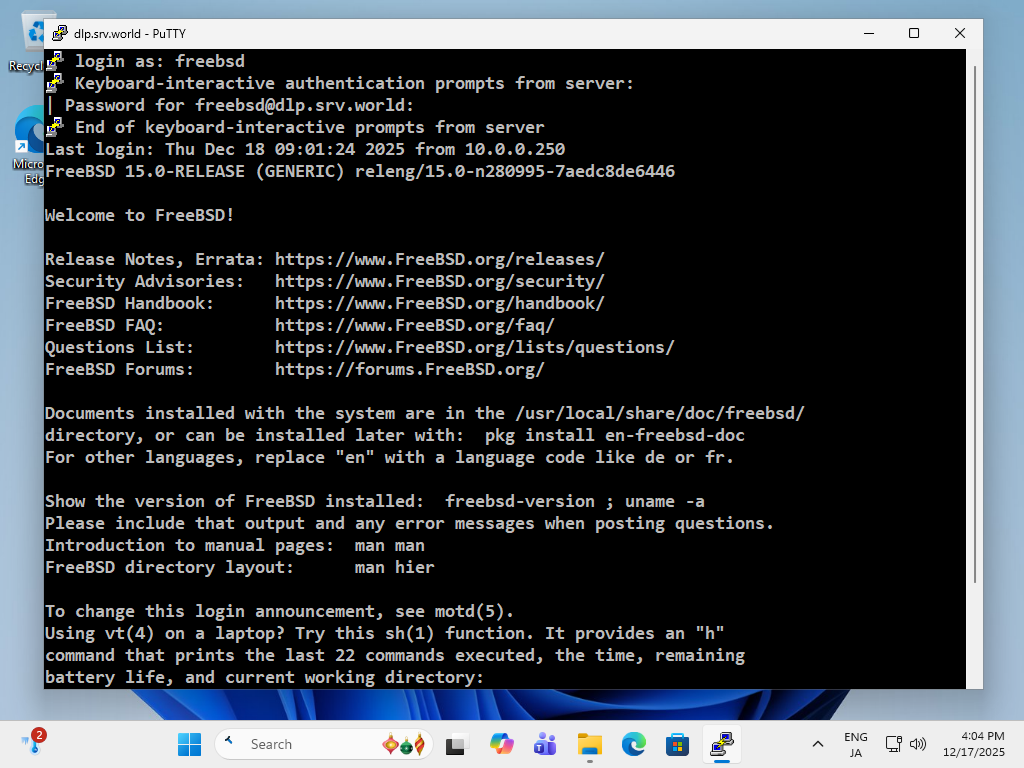
| [5] | After successfully authenticated to SSH server, it's possible to login remotely via SSH. |
|
SSH Client : Windows #2 |
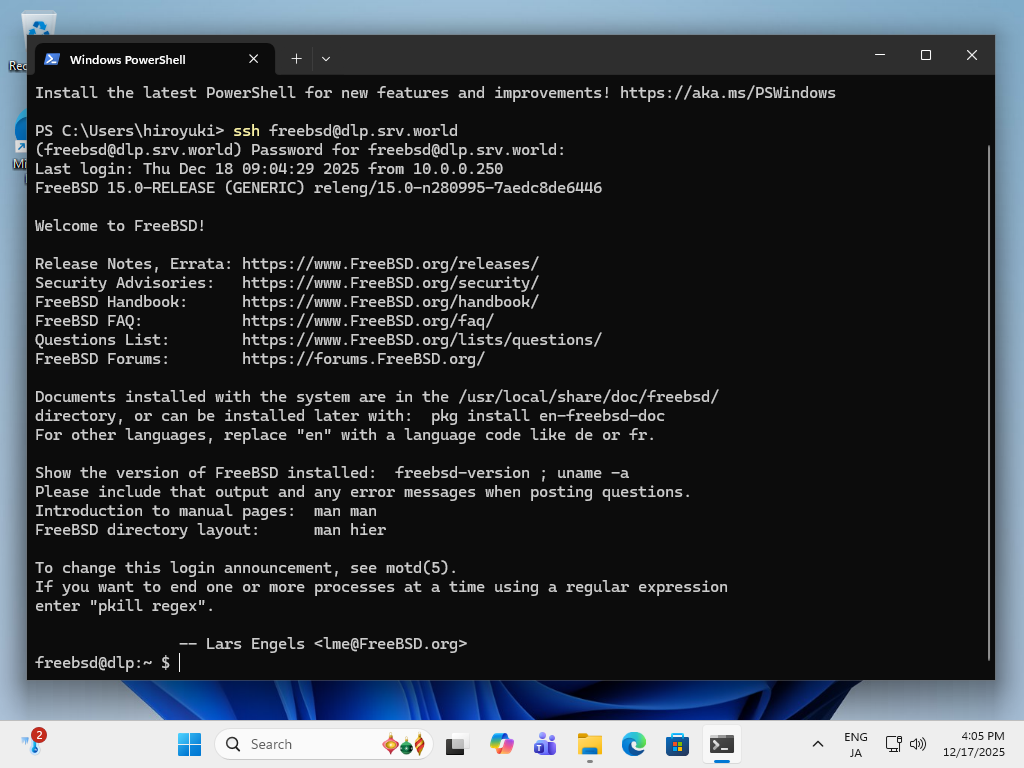
| [6] | OpenSSH Client has been implemented as an Windows feature, so it's possible to use ssh command on PowerShell or Command Prompt without Putty and other SSH software. |
|
Matched Content