FreeBSD 15 : Download2025/12/11 |
| [1] |
You can download FreeBSD 15 ( released on December 02, 2025 ) from the following site. ⇒ https://download.freebsd.org/releases/ISO-IMAGES/15.0/ |
|
Create installation media for FreeBSD (USB memory stick)
|
|
Write the image file you downloaded to a USB memory stick to create installation media for FreeBSD. |
|
| [2] |
Download Rufus from the following site. |
| [3] | Attach USB memory stick to your computer. Existing data on the USB memory stick will be lost, so be careful if you have any necessary data. Next, when you start the Rufus, following screen will appear. For example, for x86 computer, download [FreeBSD-15.0-RELEASE-amd64-memstick.img] from the site in [1] section, and next, select the image file and USB memory drive on the screen like follows and start writing. |
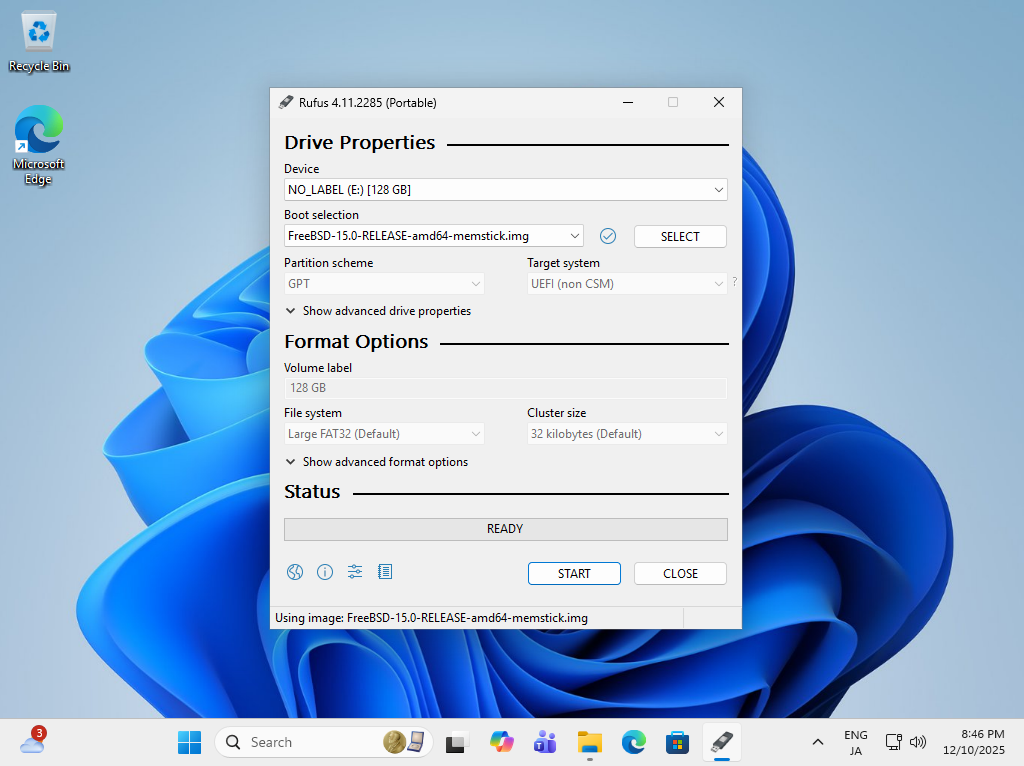
|
| [4] | When writing is completed successfully, [READY] will be displayed and the USB memorystick for installation will be completed. |
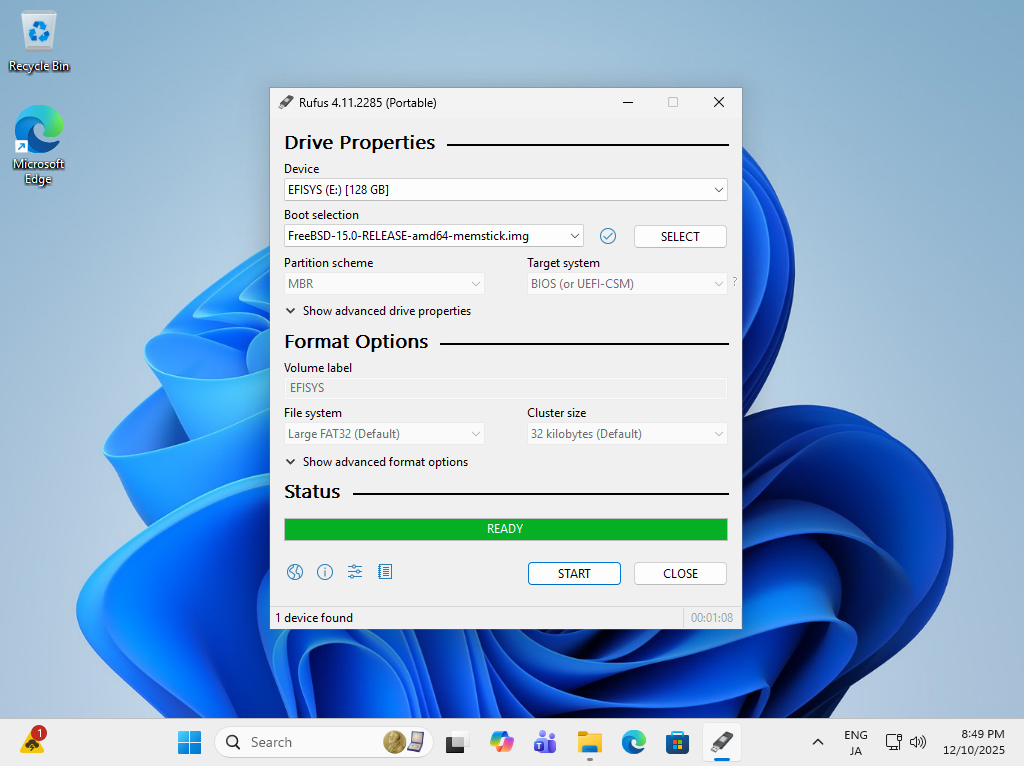
|
|
Create installation media for FreeBSD (DVD)
|
|
Write the ISO image to a DVD to create installation media for FreeBSD.
If you create it with the feature of Windows 11, refer to follows. |
|
| [5] | Insert an empty DVD to optical drive. Next, right-click the ISO image of FreeBSD and select [Burn Disk image] in the menu. |
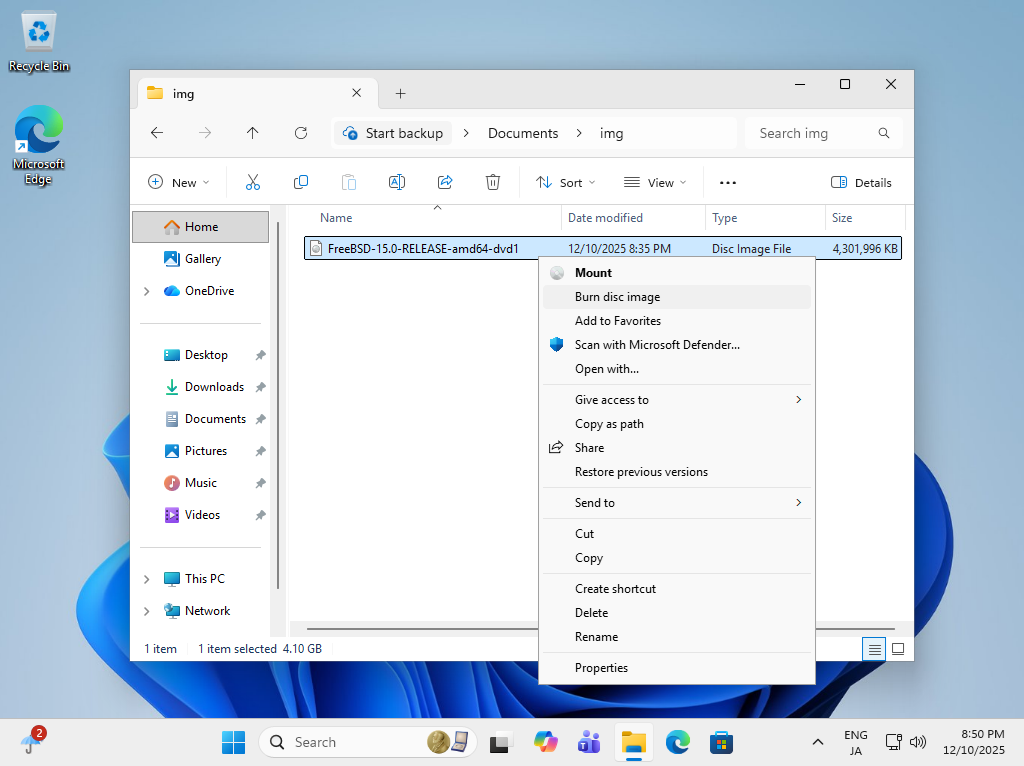
|
| [6] | Click the [Burn] button and start writing. After finishing it, eject the disk and proceed to the installation step. |

|
Matched Content