Apache2 : Web Mail : RoundCube2025/09/24 |
|
Install RoundCube to configure web-based mail transfer System. +----------------------+ | +----------------------+ | [ www.srv.world ] |10.0.0.31 | 10.0.0.32| [ mail.srv.world ] | | Apache httpd +----------+----------+ Postfix | | (Roundcube) | | Dovecot | | MariaDB | | | +----------------------+ +----------------------+ |
| [1] | |
| [2] | |
| [3] |
Configure SSL/TLS settings for SMTP/IMAP Server, refer to here. (Optional) |
| [4] | |
| [5] |
Configure SSL/TLS settings on Apache2 Server, refer to here. |
| [6] |
Install and Configure MariaDB Server on httpd Server, refer to here. |
| [7] | Create a Database for RoundCube. |
|
root@www:~# mysql Welcome to the MariaDB monitor. Commands end with ; or \g. Your MariaDB connection id is 31 Server version: 11.8.3-MariaDB-0+deb13u1 from Debian -- Please help get to 10k stars at https://github.com/MariaDB/Server Copyright (c) 2000, 2018, Oracle, MariaDB Corporation Ab and others. Type 'help;' or '\h' for help. Type '\c' to clear the current input statement. # create [roundcube] database # replace [password] to your own password you'd like to set MariaDB [(none)]> create database roundcube; Query OK, 1 row affected (0.00 sec) MariaDB [(none)]> grant all privileges on roundcube.* to roundcube@'localhost' identified by 'password'; Query OK, 0 rows affected (0.00 sec) MariaDB [(none)]> exit Bye |
| [8] | Install and Configure RoundCube. |
|
root@www:~#
apt -y install roundcube roundcube-mysql # select [No] on this example (set manually later) +----------------------------------------------┤ Configuring roundcube-core ├-----------------------------------------------+ | | | The roundcube package must have a database installed and configured before it can be used. This can be optionally | | handled with dbconfig-common. | | | | If you are an advanced database administrator and know that you want to perform this configuration manually, or if your | | database has already been installed and configured, you should refuse this option. Details on what needs to be done | | should most likely be provided in /usr/share/doc/roundcube. | | | | Otherwise, you should probably choose this option. | | | | Configure database for roundcube with dbconfig-common? | | | | <Yes> <No> | | | +---------------------------------------------------------------------------------------------------------------------------+root@www:~# cd /usr/share/dbconfig-common/data/roundcube/install root@www:/usr/share/dbconfig-common/data/roundcube/install# mysql -u roundcube -D roundcube -p < mysql Enter password: # MariaDB roundcube password root@www:/usr/share/dbconfig-common/data/roundcube/install#
root@www:~#
vi /etc/roundcube/debian-db.php // set database info $dbuser=' roundcube ';$dbpass=' password ';$basepath=''; $dbname=' roundcube ';$dbserver='localhost'; $dbport='3306'; $dbtype=' mysql ';
root@www:~#
vi /etc/roundcube/config.inc.php // line 27 : specify IMAP server (STARTTLS setting) $config['imap_host'] = ["tls://mail.srv.world:143"]; // line 31 : specify SMTP server (STARTTLS setting) $config['smtp_host'] = 'tls://mail.srv.world:587'; // line 35 : confirm (use the same user for SMTP auth and IMAP auth) $config['smtp_user'] = '%u'; // line 39 : confirm (use the same password for SMTP auth and IMAP auth) $config['smtp_pass'] = '%p'; // line 46 : possible to change to any title you like $config['product_name'] = 'Server World Webmail'; // add to last line // specify SMTP auth type $config['smtp_auth_type'] = 'LOGIN'; // specify SMTP HELO host $config['smtp_helo_host'] = 'mail.srv.world'; // specify domain name $config['mail_domain'] = 'srv.world'; // specify UserAgent $config['useragent'] = 'Server World Webmail'; // specify SMTP and IMAP connection option $config['imap_conn_options'] = array( 'tls' => array( 'verify_peer' => true, 'CN_match' => 'srv.world', 'allow_self_signed' => true, 'ciphers' => 'HIGH:!SSLv2:!SSLv3', ), ); $config['smtp_conn_options'] = array( 'tls' => array( 'verify_peer' => true, 'CN_match' => 'srv.world', 'allow_self_signed' => true, 'ciphers' => 'HIGH:!SSLv2:!SSLv3', ), );
root@www:~#
vi /etc/apache2/conf-enabled/roundcube.conf # line 3 : uncomment Alias /roundcube /var/lib/roundcube/public_html # line 11 : change access permission if need Require ip 127.0.0.1 10.0.0.0/24
systemctl reload apache2
|
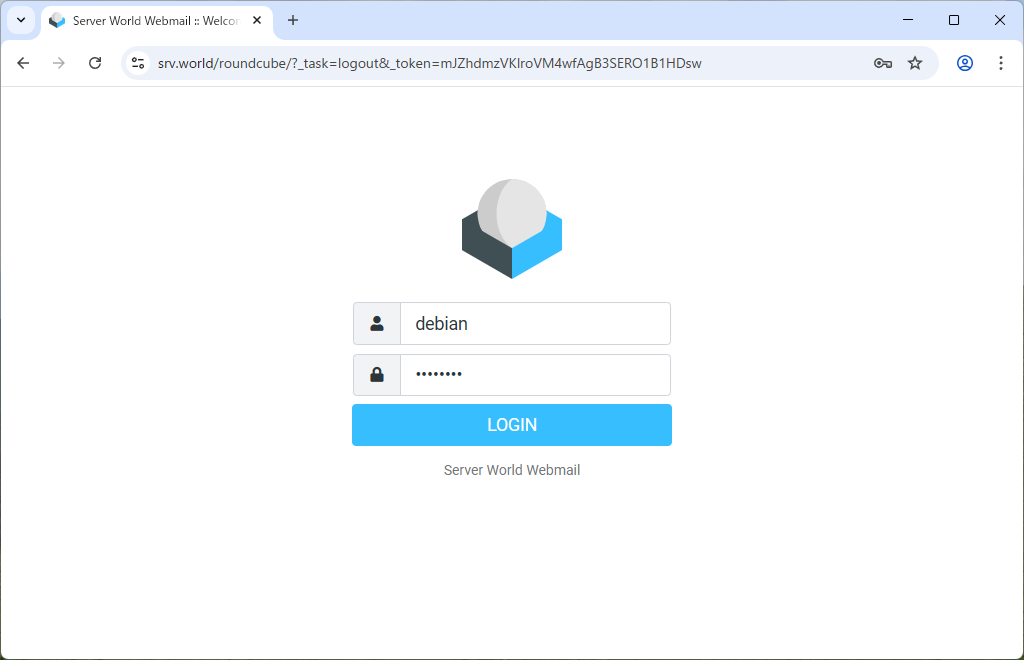
| [9] | Access to [https://(your server's hostname or IP address/)/roundcube/], then Roundcube login form is shown, authenticate with any user on Mail Server. |
|
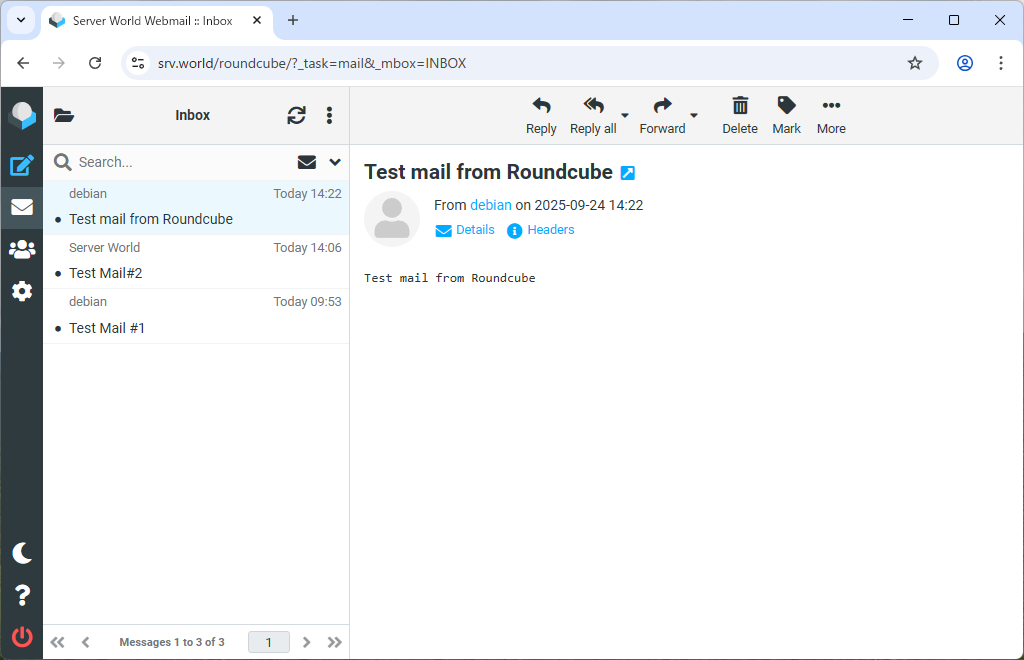
| [10] | After successfully logined, verify possible to send or receive emails normally. |
|
Matched Content