Zabbix 6.0 : Add Monitoring Target (CentOS)2022/03/08 |
|
Add Monitoring Target Host. Add a CentOS Stream 8 server as an example on here.
|
|
| [1] | Install Zabbix Agent on the server you'd like to add for monitoring target. |
|
[root@node01 ~]#
dnf -y install https://repo.zabbix.com/zabbix/6.0/rhel/8/x86_64/zabbix-release-6.0-1.el8.noarch.rpm [root@node01 ~]# dnf -y install zabbix-agent
[root@node01 ~]#
vi /etc/zabbix/zabbix_agentd.conf # line 117 : specify Zabbix server Server= 10.0.0.30
# line 164 : specify Zabbix server ServerActive= 10.0.0.30
# line 175 : change to hostname or IP address Hostname= node01.srv.world
systemctl enable --now zabbix-agent |
| [2] | If SELinux is enabled, change policy. |
|
[root@node01 ~]# setsebool -P domain_can_mmap_files on
[root@node01 ~]#
vi zabbix_agent.te # create new
module zabbix_agent 1.0;

require {
        type initctl_t;
        type zabbix_agent_t;
        type devlog_t;
        type proc_kcore_t;
        type rpm_exec_t;
        type rpm_var_lib_t;
        class fifo_file getattr;
        class sock_file getattr;
        class file { execute execute_no_trans map open getattr };
}

#============= zabbix_agent_t ==============
allow zabbix_agent_t devlog_t:sock_file getattr;
allow zabbix_agent_t initctl_t:fifo_file getattr;
allow zabbix_agent_t proc_kcore_t:file getattr;
allow zabbix_agent_t rpm_var_lib_t:file open;
allow zabbix_agent_t rpm_exec_t:file { execute execute_no_trans map };
checkmodule -m -M -o zabbix_agent.mod zabbix_agent.te [root@node01 ~]# semodule_package --outfile zabbix_agent.pp --module zabbix_agent.mod [root@node01 ~]# semodule -i zabbix_agent.pp |
| [3] | If Firewalld is running, allow Zabbix related ports. |
|
[root@node01 ~]# firewall-cmd --add-port=10050/tcp success [root@node01 ~]# firewall-cmd --runtime-to-permanent success |
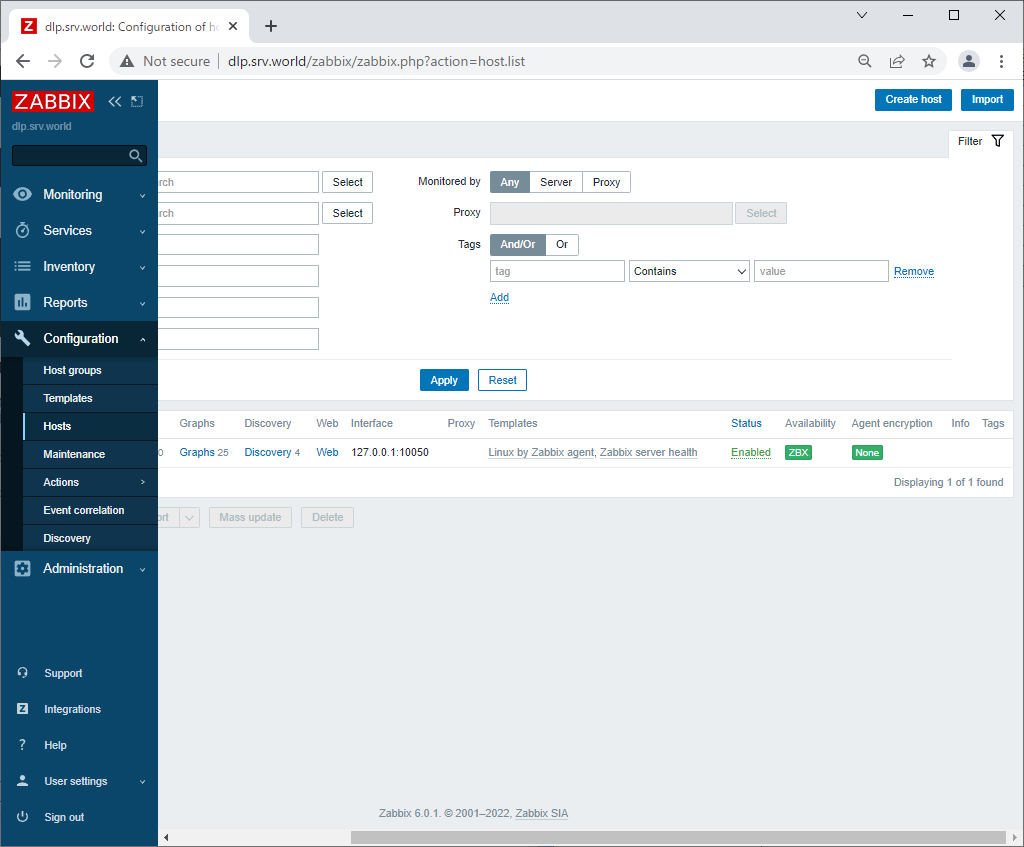
| [4] | Login to Zabbix admin site with [Admin] user and select [Configuration] - [Hosts] on the left pane, then click [Create Host] button on the right pane. |
|
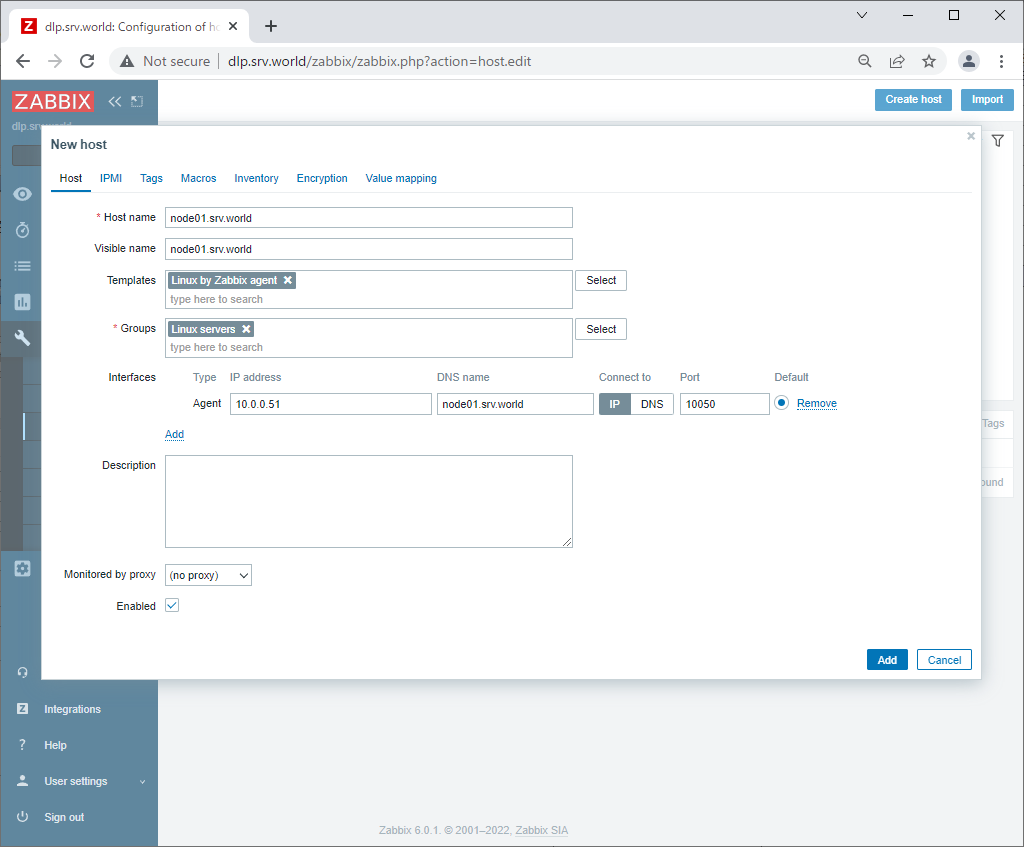
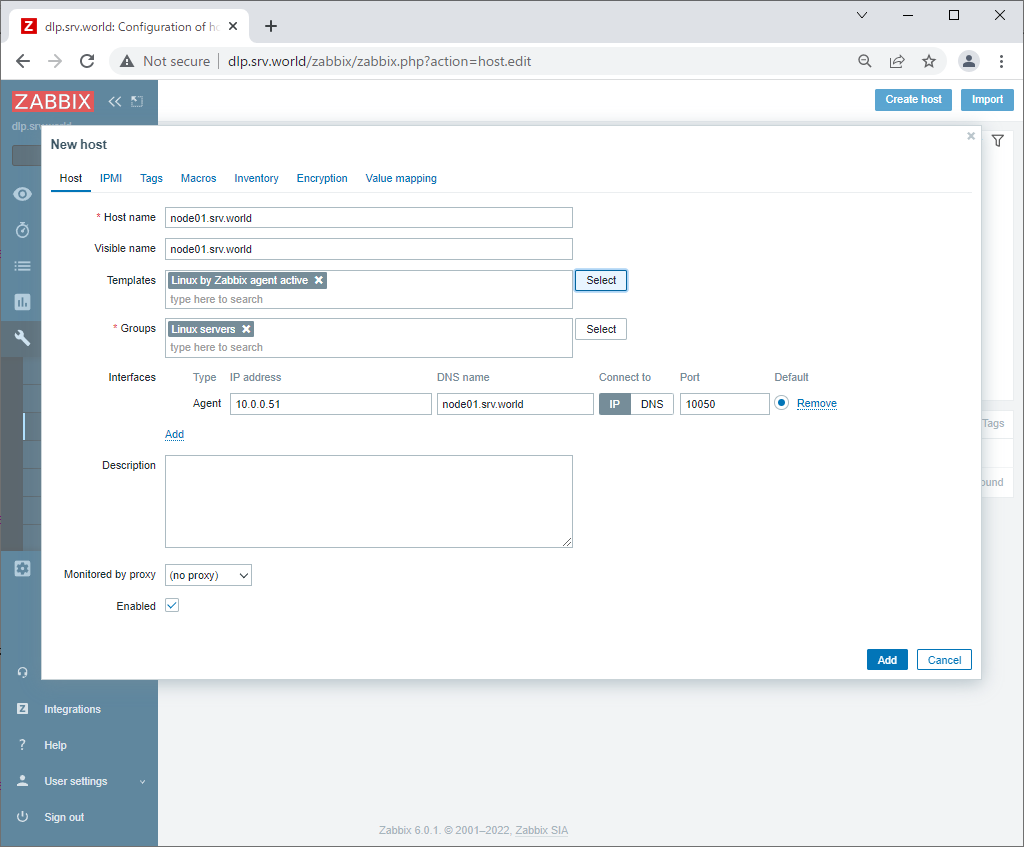
| [5] | Input a hostname for [Hostname] field, input any name you like for [Visible name] field, select a group or add a new group for [Groups] field, input IP address and DNS name for [Interfaces] field. For monitoring items, there are many templates, click [Select] button that is in [Templates] field. |
|
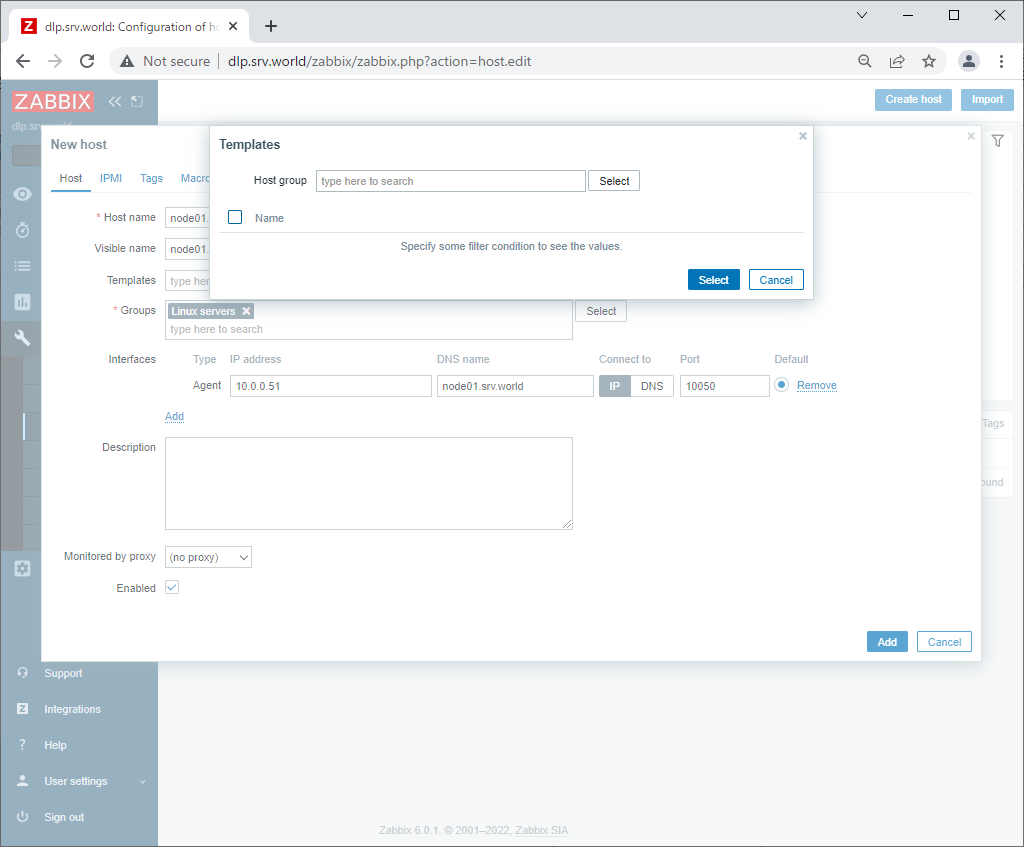
| [6] | Click [Select] button. |
|
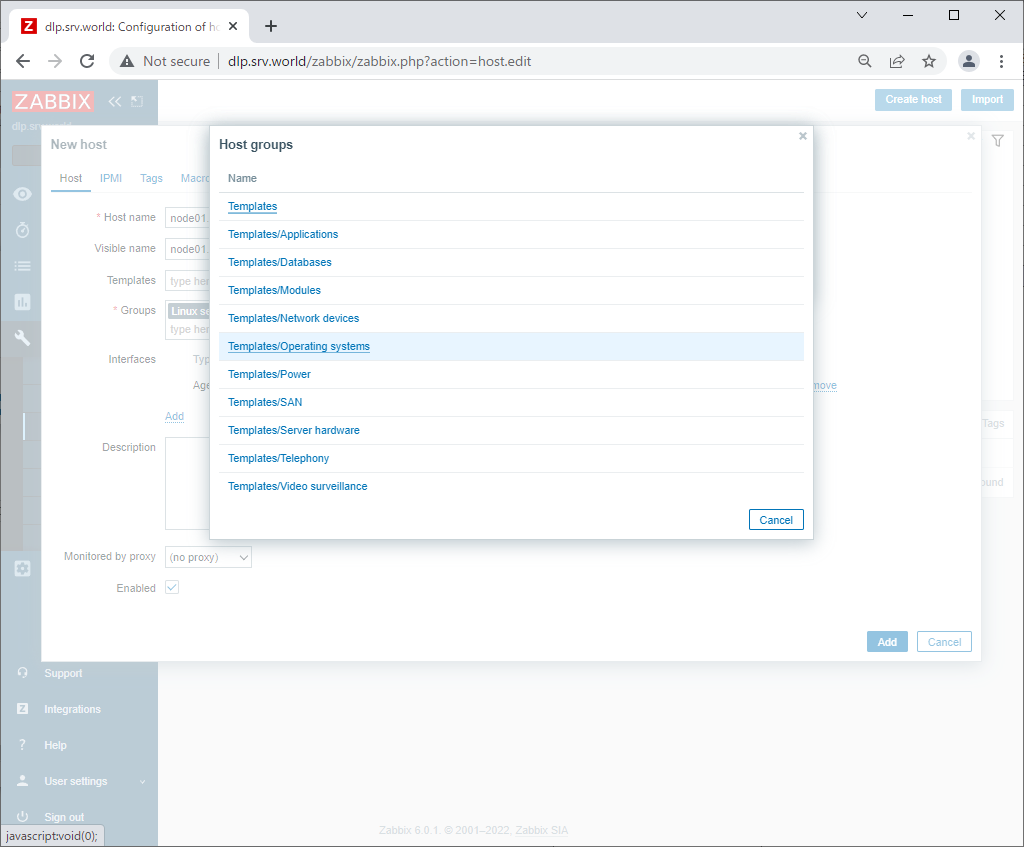
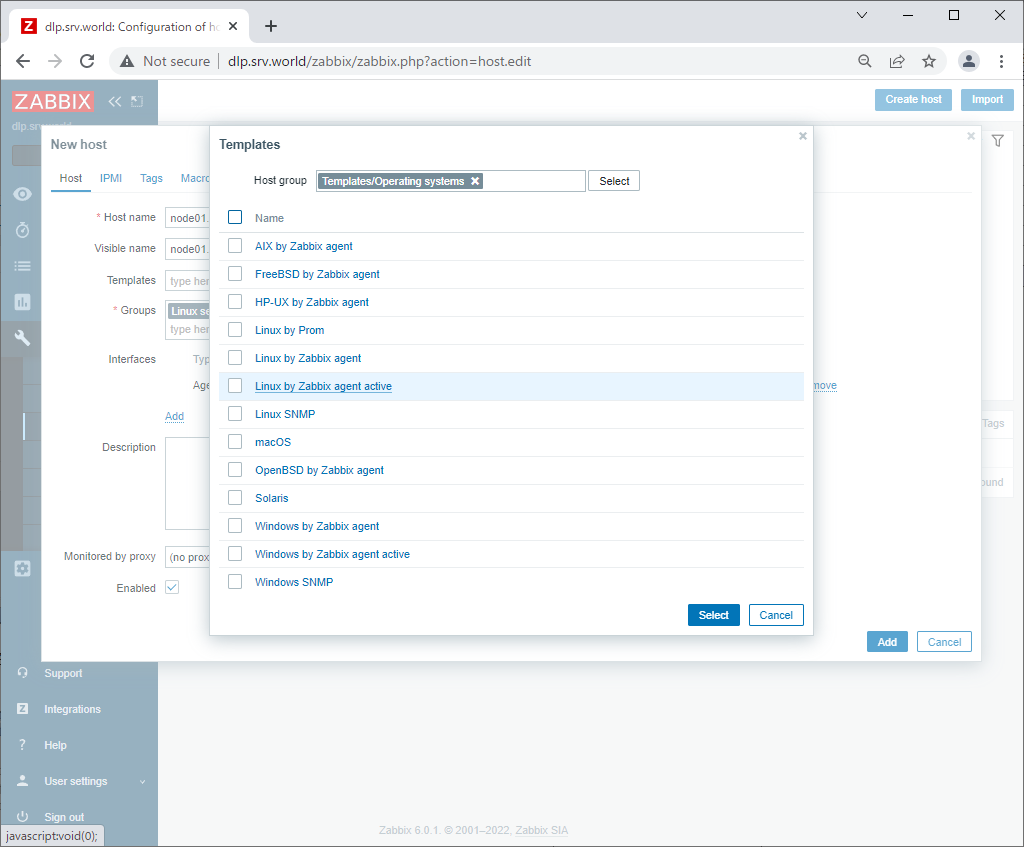
| [7] | Select [Templates/Operating systems]. |
|
| [8] | Select [Template OS Linux by Zabbix agent active]. |
|
| [9] | After setting items, click [Add] button. |
|
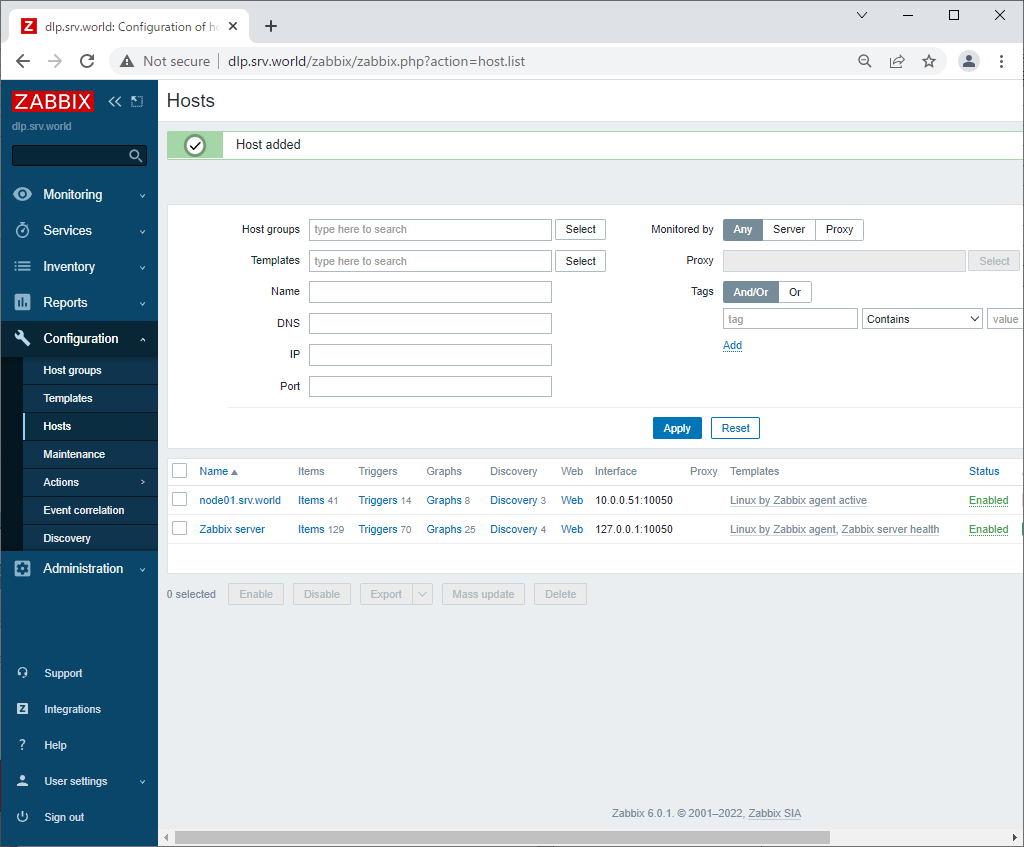
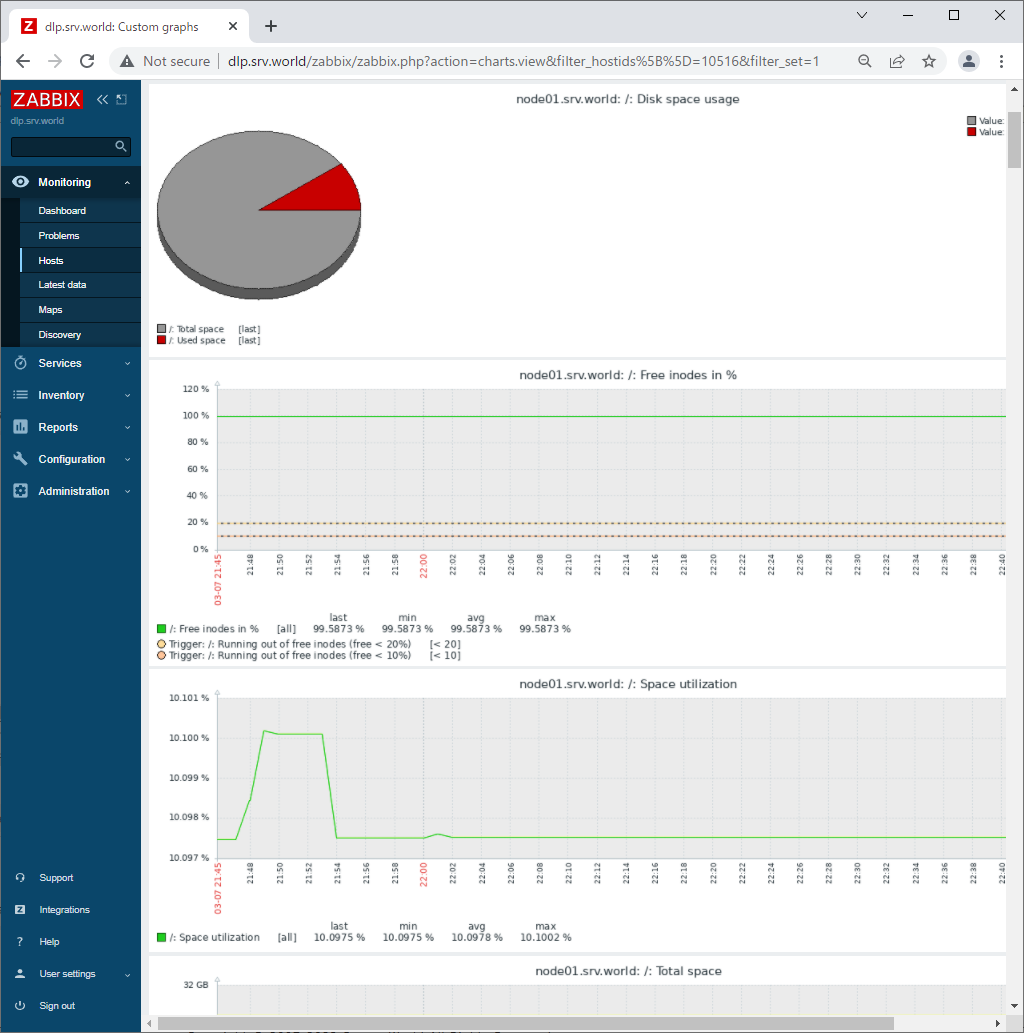
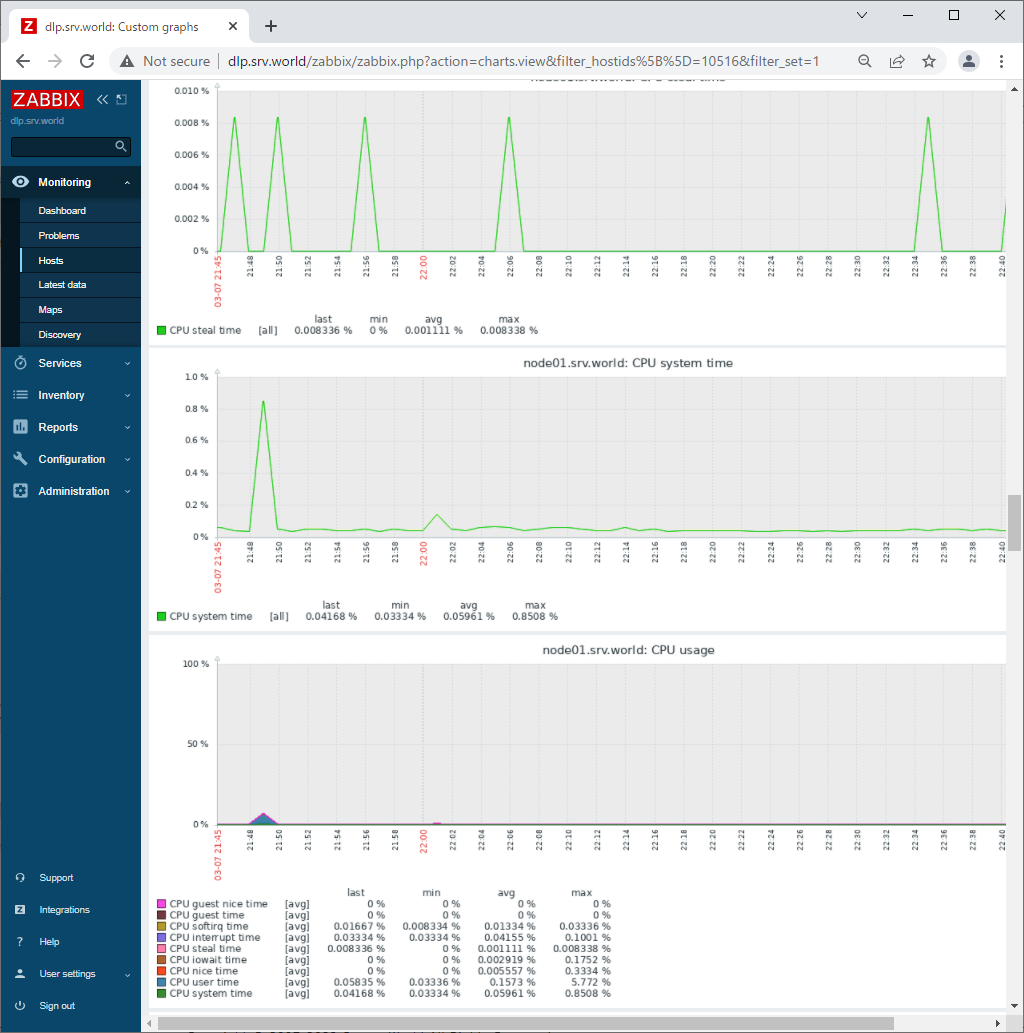
| [10] | New monitoring target host is added. After few minutes, monitoring data are collected like follows. |
|
|
|
Matched Content