oVirt 4.4 : Upload ISO Images2021/07/06 |
|
Upload ISO Images to install OS on VM.
It is based on the environment that Data Domain has been configured.
+-----------------------+          |          +-----------------------+
|   [   Admin Node   ]  |10.0.0.30 | 10.0.0.25| [    oVirt Engine   ] |
|    dlp.srv.world      +----------+----------+     ctrl.srv.world    |
|                       |          |          |                       |
+-----------------------+          |          +-----------------------+
                                   |
+-----------------------+          |          +-----------------------+
| [   Shared Storage  ] |10.0.0.35 | 10.0.0.51|  [   oVirt Node    ]  |
|     nfs.srv.world     +----------+----------+   node01.srv.world    |
|                       |                     |                       |
+-----------------------+                     +-----------------------+
|
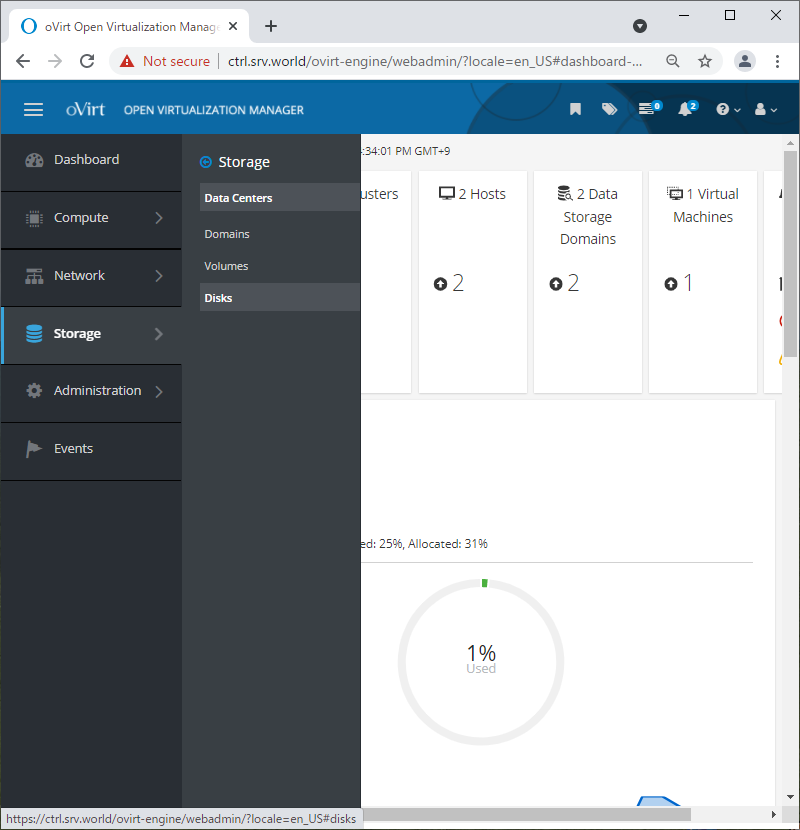
| [1] | Login to oVirt Web Admin Portal and Click [Storage] - [Disks] on the left pane. |
|
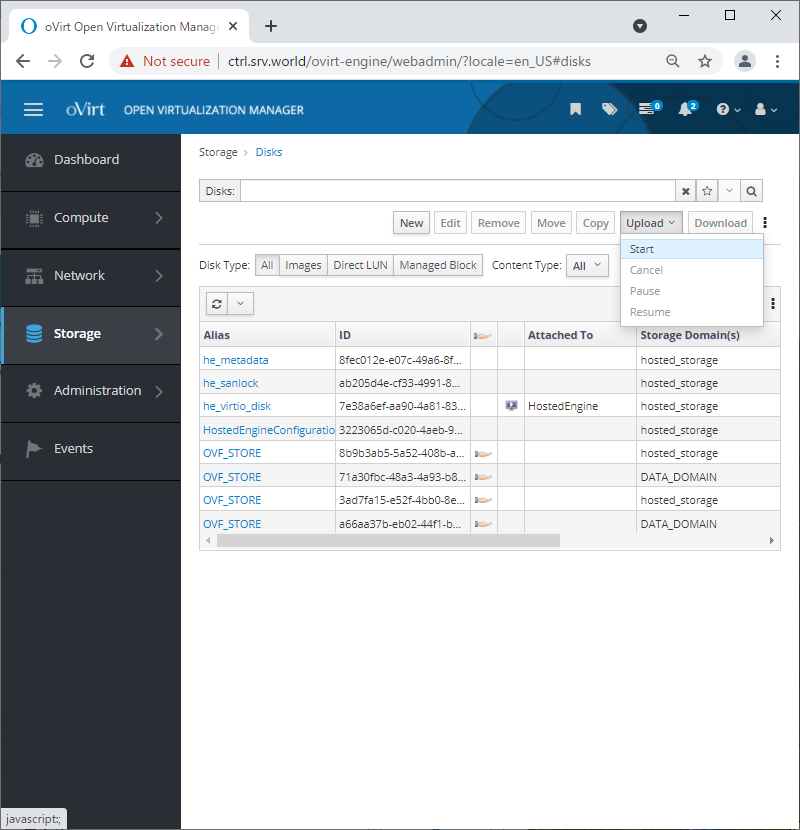
| [2] | Click [Upload] button on top of right pane, and then select [Start]. |
|
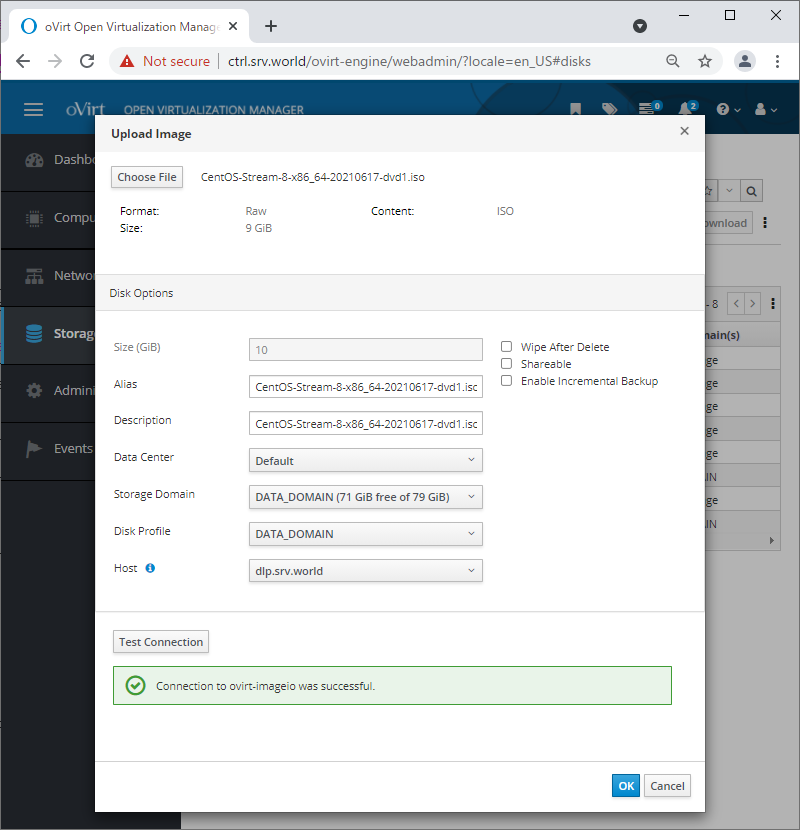
| [3] | Click [Choose File] button which is upper-left and then, select an ISO file you did download on your client computer. For [Storage Domain], select Data Domain you configured. |
|
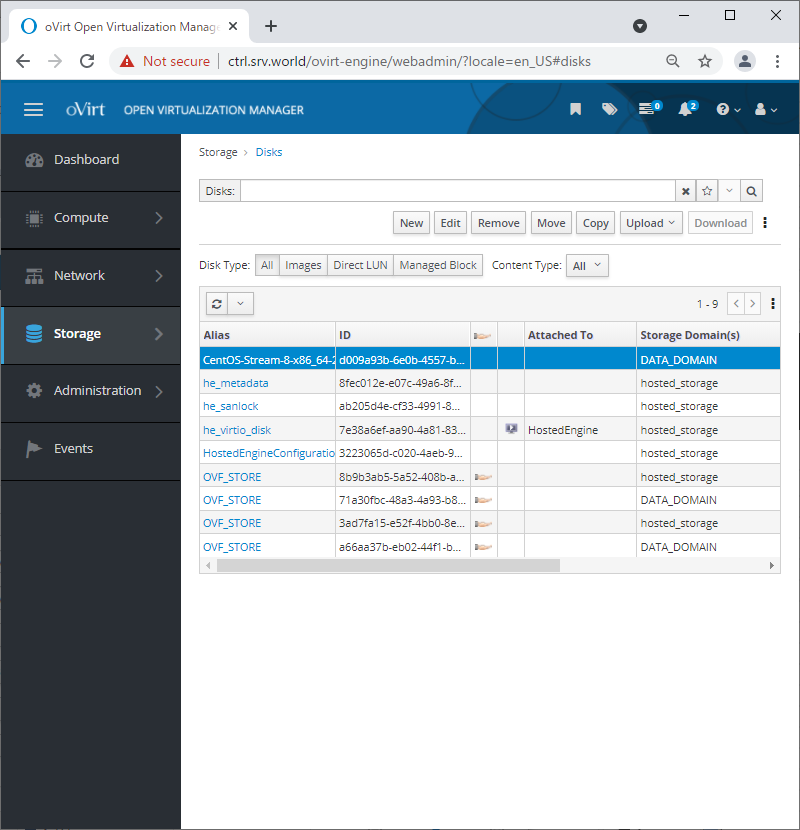
| [4] | If succeccfully uploaded, the status turns to [OK]. |
|
Matched Content