Create a kimited accessed shared directory2015/01/19 |
|
Install Samba to configure File Server.
This example shows to create a shared Folder which requires user authentication.
|
|
| [1] | Configure Samba. |
|
[root@lan ~]#
[root@lan ~]# yum -y install samba3x groupadd security [root@lan ~]# mkdir /home/security [root@lan ~]# chgrp security /home/security [root@lan ~]# chmod 770 /home/security
[root@lan ~]#
vi /etc/samba/smb.conf # near line 58: add follows unix charset = UTF-8
dos charset = CP932 # line 75: change (Windows' default) workgroup = WORKGROUP
# line 81: uncomment and change IP address you allow hosts allow = 127. 10.0.0.
# line 102: change (no auth) security = user
# add follows to the end [Security]
# any name you like path = /home/security writable = yes create mode = 0770 directory mode = 0770 share modes = yes guest ok = no # guest not allowed valid users = @security # allow only security group /etc/rc.d/init.d/smb restart Shutting down SMB services: [ OK ] Shutting down NMB services: [ OK ] Starting SMB services: [ OK ] Starting NMB services: [ OK ] [root@lan ~]# smbpasswd -a cent # add a user for Samba New SMB password: # set password Retype new SMB password: # confirm Added user cent.
[root@lan ~]#
security:x:502:vi /etc/group cent # add |
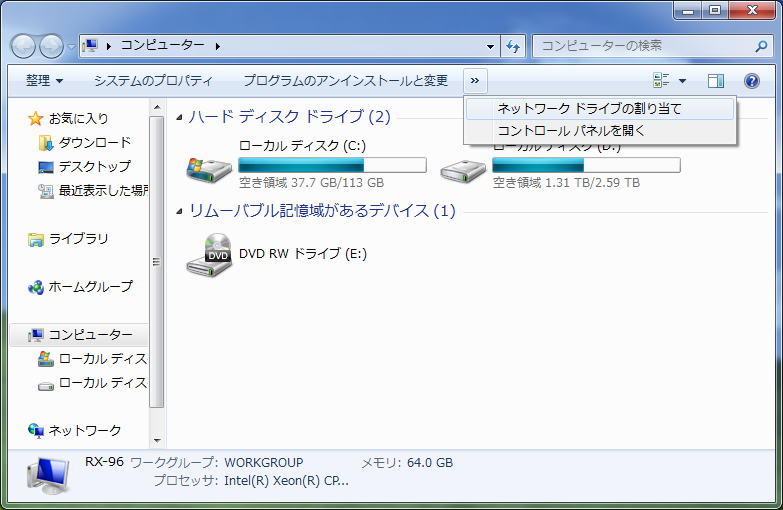
| [2] | It's the way to access to the shared directory from Windows clients. This example is on Windows 7. Select [My Computer] - [Map Network Drive]. |
|
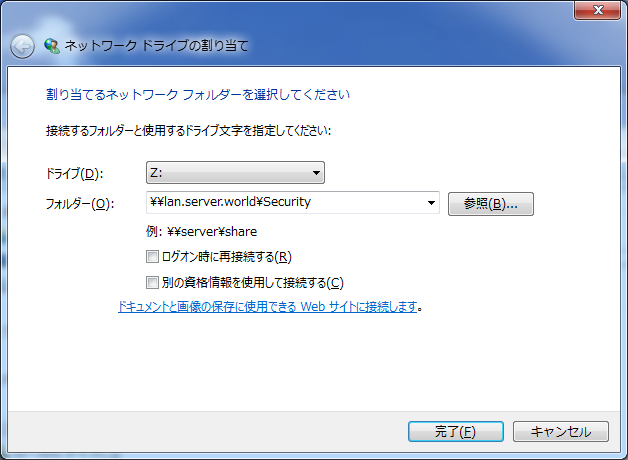
| [3] | Input as '\\(your server's hostname pr IP address)\(shared directory)'. |
|
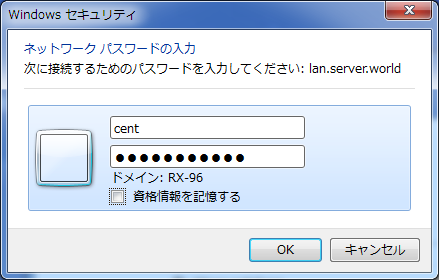
| [4] | Password is required. Input the one set in [1]. |
|
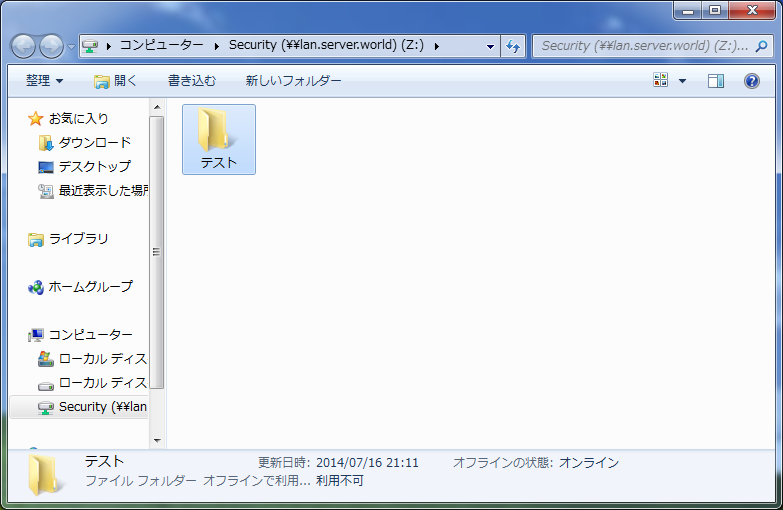
| [5] | Just accessed. |
|
Matched Content